Best Scanner to Digitize Old Photos in 2026
Find the best scanner to digitize old photos in 2026. Compare flatbed, sheet-fed and film scanners by resolution, color depth and workflow for archival results.
You've found a box of family photographs in a cupboard, garage, or attic. Some prints are curled, some have faded toward yellow, and several show fingerprints or scratches. You want digital copies, but not blurry snapshots that leave your children and grandchildren guessing who is standing beside whom.
The best scanner to digitize old photos isn't necessarily the one with the largest number on the box. It's the scanner, settings, file format, and backup routine that preserve the most useful information and keep it retrievable for decades. For most families, that means a good flatbed, true optical resolution, color capture, TIFF masters, and a simple system someone else can understand later.
| Scanner type | Best use | Main advantage | Main limitation |
|---|---|---|---|
| Flatbed | Loose prints, albums, fragile originals | Gentle handling and flexible placement | Slower for large batches |
| Sheet-fed or ADF | Large quantities of loose prints | Faster batch work | Can harm curled or brittle photographs |
| Dedicated film scanner | Negatives and slides | Detail and control for transparent film | Not designed for ordinary paper prints |
| Multifunction printer-scanner | Occasional scans and documents | Convenient if you already own one | Usually fewer photo-focused controls |
Table of Contents
- Why the Right Scanner Matters for Old Family Photos
- The Four Scanner Types Worth Considering
- Specs That Actually Matter for Archival Photo Scanning
- How the Scanner Types Compare for Old Photo Work
- Matching the Scanner to Your Photo Collection
- A Practical Workflow That Protects the Original
- Preservation After the Scan
- Choosing the Best Scanner for Your Situation
Why the Right Scanner Matters for Old Family Photos
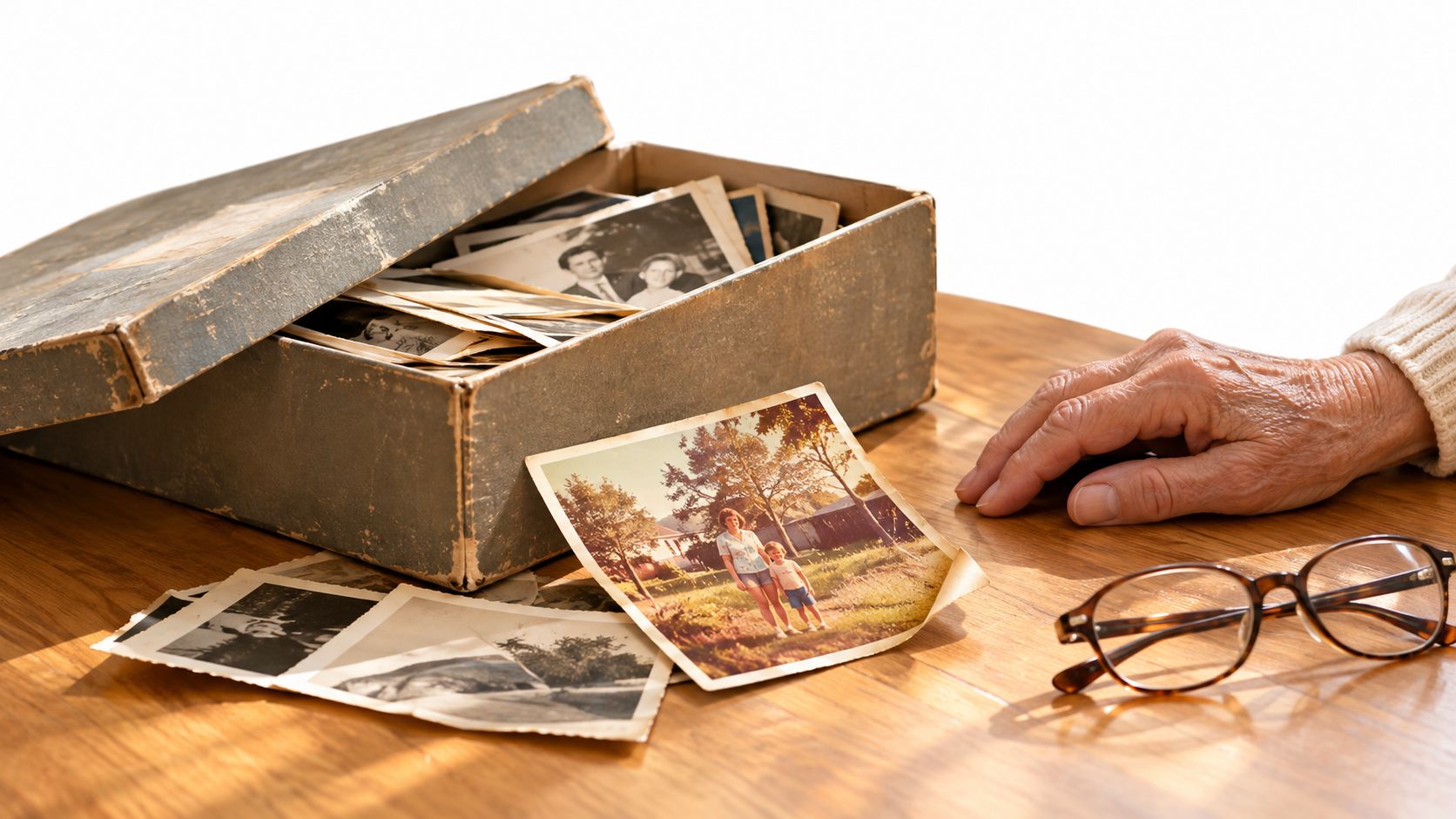
A shoebox of photographs looks sturdy until you start sorting it. The print from a wedding may have a faded face, the holiday snapshot may have shifted color, and an older black-and-white image may carry dust in its emulsion or a crease across the background. A phone can record the existence of each print, but a quick overhead photograph often loses the detail you'll want when you crop, restore, enlarge, or identify people later.
A scan is more than a copy
The job has three parts:
- Capture: Record the print with enough detail and tonal information.
- Description: Add names, places, dates, and relationships while someone still remembers them.
- Preservation: Keep a master file, sharing copies, and backups in locations your family can reach.
A flatbed scanner keeps a photograph still under glass, which makes it a sensible choice for curled, mounted, or delicate prints. It also lets you place different sizes carefully and preview the result before committing to a full scan. That patience matters more than a headline resolution number when the original is irreplaceable.
Practical rule: Treat every original as if it's the only surviving copy. Clean the glass, handle the print by its edges, and never rush a fragile photograph through a feeder.
Your future archive should be useful to a person who wasn't present during the scanning project. Consistent filenames, readable formats, and a folder structure matter because a technically excellent image can still disappear inside an unnamed folder on one old computer. For a gentle overview of preparation and capture, this guide to scanning photos offers helpful practical context, and you can also review this advice on preserving old photos.
The Four Scanner Types Worth Considering
Choose the scanner according to the original, not according to the most impressive specification.
Flatbed scanners
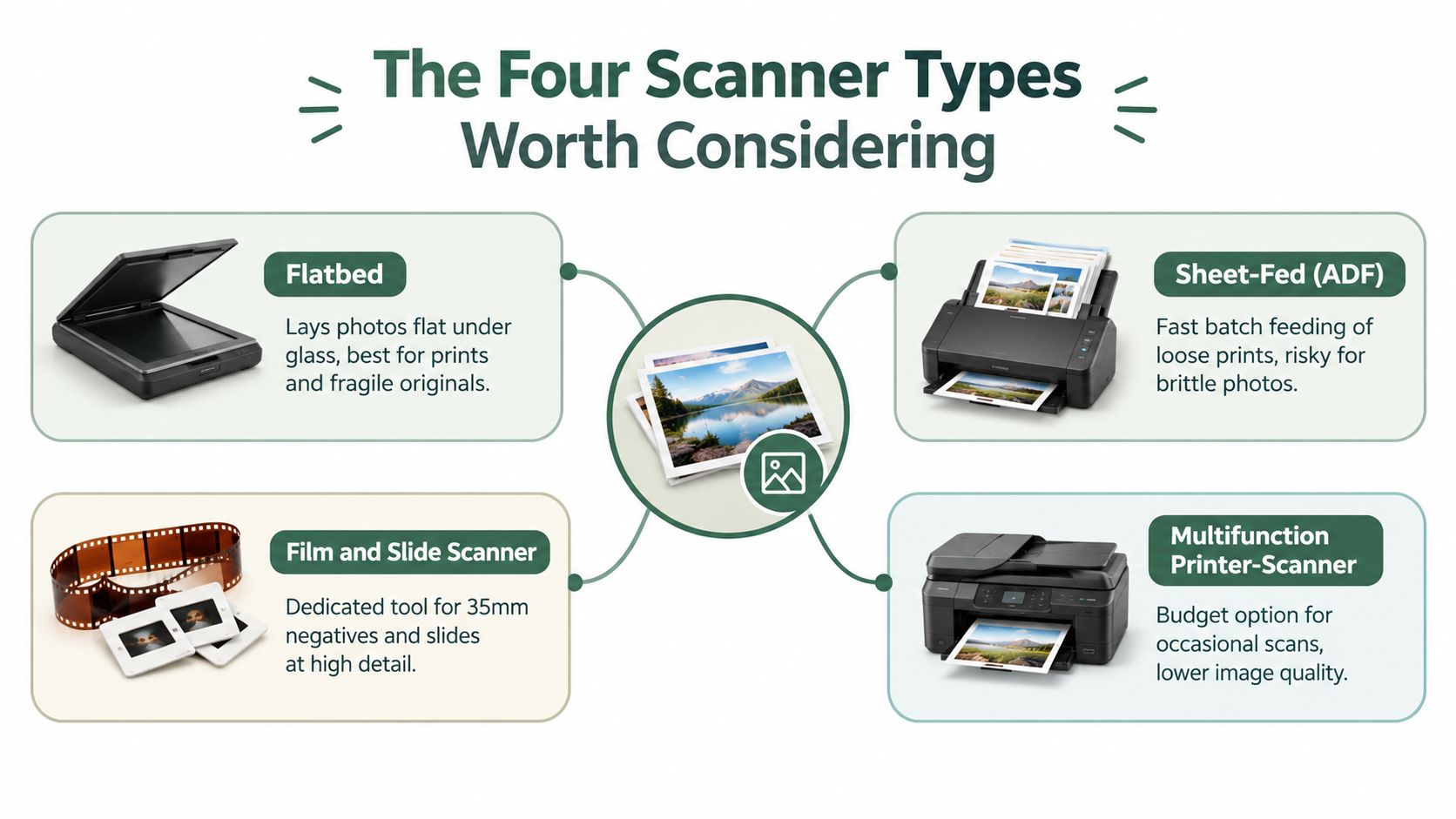
A flatbed has a glass platen and a moving sensor beneath it. You place each photograph face down, close the lid, and scan without forcing the original through rollers. This is the best general-purpose design for family prints, especially when photographs vary in size or condition.
A model such as the Canon CanoScan LiDE range or Epson Perfection range can suit a modest home collection. Flatbeds demand more hands-on time, but they give you control over placement, cropping, and fragile handling.
Sheet-fed scanners
A sheet-fed scanner pulls photographs through a mechanical path. It's useful when you have a large quantity of loose, sturdy prints and need faster processing. Purpose-built snapshot scanners are gentler than ordinary office document feeders, but brittle, curled, cracked, or thick photographs still deserve caution.
Don't confuse speed with safety. A standard document ADF is built for paper, not for irreplaceable family prints.
Dedicated film and slide scanners
Film scanners hold negatives or slides in a frame and pass light through the transparent original. They're the right tool for 35mm negatives and slides, where detail and tonal range are stored in a much smaller source.
They're a poor substitute for a flatbed when your collection mainly consists of paper prints. A dedicated film scanner can be excellent at its one job while being completely irrelevant to a shoebox of 4×6 photographs.
Multifunction printer-scanners
An all-in-one printer usually includes a flatbed scanner. It can be perfectly adequate for occasional copies, documents, and a small number of family prints. Its convenience is the main attraction, not specialist photo control.
Use one if you already own it and the results satisfy you. Don't buy an all-in-one solely because it advertises a spectacular maximum dpi figure without checking true optical resolution, color controls, and file output.
Specs That Actually Matter for Archival Photo Scanning
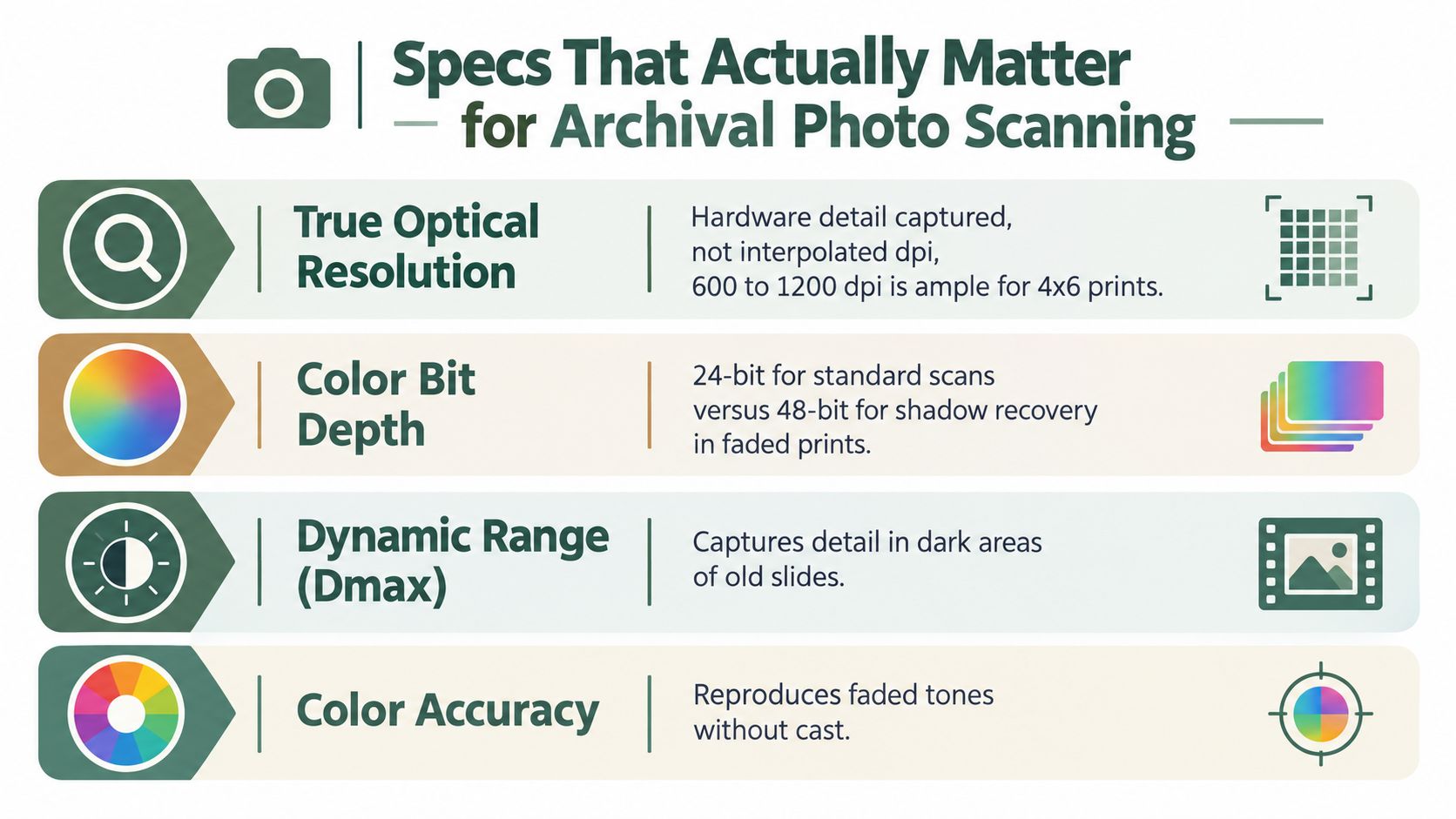
Scanner specifications become useful once you separate hardware capture from software enlargement. The first number to inspect is true optical resolution, which describes detail the sensor and optics capture directly. Interpolated or enhanced dpi creates larger files, but it can't recover information the scanner never saw.
The UK National Archives recommends 600 ppi true optical resolution and 24-bit color for photographs, while the National Archives of India specifies a 300–600 dpi true optical range and 24-bit color, distinguishing photographs from ordinary documents. See the digitisation guidance from the UK National Archives for the underlying recommendations.
The four specifications worth reading
- True optical resolution: For ordinary prints, reliable optical performance at 600 ppi is a strong archival baseline. Around 1,200 dpi can provide additional room for restoration and moderate enlargement, while higher settings create larger files and longer scans.
- Color bit depth: A 24-bit scan provides standard color capture. A scanner with 48-bit internal capture gives you more editing headroom when correcting faded colors, uneven exposure, or delicate skin tones. You can still export a practical 24-bit archival master after correction.
- Dynamic range: Dynamic range affects how well the scanner separates shadow detail from deep blacks and highlights. It matters especially for slides, negatives, and prints with dense or faded areas.
- Color management: Look for manual exposure controls, dependable software, and support for color profiles. A scanner that captures consistently is easier to correct than one that produces a different color cast from one batch to the next.
A 4×6-inch print scanned at 600 ppi produces approximately 2,400×3,600 pixels, or 8.64 megapixels, while the same print at 300 ppi produces approximately 2.16 megapixels, as calculated from the scanning dimensions in the archival guidance above. The higher setting creates a fourfold pixel count, but it also increases storage and processing demands.
Avoid choosing a scanner because it displays an enormous interpolated dpi figure. For a family archive, a clean optical scan, 48-bit capture, manual controls, and TIFF export are more valuable than software-generated pixels. This guide to digitizing old photos can help you turn those specifications into a workable home setup.
How the Scanner Types Compare for Old Photo Work
The right category depends on what you're scanning and how much handling you're willing to do. A flatbed usually wins on control. A purpose-built sheet-fed photo scanner wins on volume. A film scanner wins when the original is a negative or slide rather than a paper print.
| Scanner type | Best for | Typical optical resolution | Color depth | Handling of fragile or mixed-size originals | Approx. price band |
|---|---|---|---|---|---|
| Flatbed | Prints, albums, mounted or delicate originals | 600–1,200 dpi is practical for common prints | 24-bit, with 48-bit capture preferred | Excellent | Entry-level to high-end |
| Sheet-fed or ADF | Large batches of loose, sturdy prints | Varies by model, verify optical rating | Commonly 24-bit, model-dependent | Limited | Mid-range to specialist |
| Dedicated film scanner | 35mm negatives and slides | High resolution designed for small originals | Often high bit depth | Good with holders, poor for paper prints | Specialist |
| Multifunction printer-scanner | Occasional prints and documents | Varies widely | Varies widely | Fair for flat originals, weak for fragile items | Entry-level to mid-range |
Flatbed
A quality flatbed is the safest recommendation for most families. It handles different print sizes, lets you inspect each original, and avoids the mechanical pressure of a document path. Its weakness is labor. You'll need to place, preview, scan, name, and sometimes crop each image.
The Epson Perfection V850 Pro illustrates the high end of flatbed hardware, with a stated 6,400 dpi rating, 48-bit color, dual-lens CCD optics, and Dmax of 4.0, according to the product discussion in the provided scanner research. Those capabilities are more relevant to film than to ordinary prints, so don't assume the most expensive flatbed is the most sensible purchase for a shoebox.
Sheet-fed and ADF models
Purpose-built snapshot scanners can save time when your originals are flat, clean, and sturdy. They're useful for a family collection where the priority is processing many loose prints rather than handling one delicate photograph at a time.
The risk is mechanical contact. A curled edge, loose surface, or brittle mount can catch inside the path. Standard office ADF equipment is the wrong choice for valuable originals unless you've tested it carefully on expendable material.
Film scanners
A dedicated film scanner gives small transparent originals the attention they need. It can preserve fine detail that a general flatbed with a basic adapter may not capture as effectively. Its narrow purpose is also its limitation. If you mainly own paper prints, buying a film scanner first is a mismatch.
Multifunction devices
An all-in-one is reasonable for occasional work. It's already connected, familiar, and often good enough for a few flat prints. It becomes frustrating when you need batch control, accurate color correction, film holders, or a consistent archival workflow.
Matching the Scanner to Your Photo Collection
Your collection should decide the purchase. Count the formats before you compare brands, because the device that handles prints well may be unsuitable for slides, negatives, or unusually large originals.
A shoebox of 4×6 color prints
Buy a flatbed with reliable 600 ppi optical scanning, 24-bit color, and preferably 48-bit internal capture. It'll let you place several prints on the glass, preview them, and keep curled or aging photographs away from rollers. If the collection is large and the prints are sturdy, a purpose-built photo feeder can save time, but test it before committing the whole box.
A parent's collection of 35mm slides
Buy a dedicated film scanner. Slides are small transparent originals, so their needs differ from those of paper prints. The U.S. National Archives recommends roughly 2,800 ppi for 35mm originals, while its broader guidance targets around 3,000 pixels across the long dimension for common prints and negatives. The distinction is explained in the U.S. National Archives technical guidelines.
One oversized wedding portrait
A flatbed may not be large enough. Don't bend the portrait to fit, and don't force it through a feeder. For one or two oversized or highly valuable originals, a professional scanning service may be more sensible than buying specialist equipment you won't use again.
A mixed estate
The idea of one universal scanner breaks down here. Use a flatbed for prints and fragile material, a film scanner for slides and negatives, and professional help for tintypes, framed work, or damaged originals. Two focused workflows can produce a better archive than one compromised machine.
Best decision: Spend your money on the formats you actually own, not on a scanner that claims to handle everything adequately.
A Practical Workflow That Protects the Original
Good scanning starts before the lid closes. Wash and dry your hands, clear a clean work surface, and use a blower or soft brush to remove loose dust. Don't use household cleaning products on photographic surfaces, and don't flatten a curled print aggressively.
Place the photograph straight on the glass, with the emulsion or image side oriented according to the scanner software's instructions. Scan black-and-white and sepia photographs in color when preservation matters, because color capture retains tonal information that may help with later correction. For standard prints, 600 ppi at 24-bit color is a sensible baseline supported by archival guidance, with higher targets reserved for smaller originals, negatives, slides, or substantial enlargement.
Build two versions of every important image
The U.S. Library of Congress describes a workflow that creates an archival master of roughly 5,000 pixels on the long side in 24-bit color, keeps TIFF as the working format, and generates JPEG derivatives for sharing. Its photographic digitization guidance is useful because it separates preservation files from everyday access copies.
Use a simple naming pattern such as:
- Master:
1984-07-14_Smith-family_reunion_001.tif - Sharing copy:
1984-07-14_Smith-family_reunion_001.jpg - Back of print:
1984-07-14_Smith-family_reunion_001_back.jpg
Keep the TIFF untouched. Make color correction and cropping from a working copy, then export JPEG files for relatives, email, phones, and photo books. Record known names, dates, places, and uncertain identifications in the file metadata or a companion text document.
For editing faded photographs, choose tools that offer repeatable corrections rather than applying a different filter to every image. These scene-aware preset suggestions can help you approach color and exposure adjustments consistently. You can also keep the project organized with a straightforward memories-to-digital workflow.
Preservation After the Scan
The scanner is only the beginning. A beautiful TIFF stored on one laptop is vulnerable to theft, failure, accidental deletion, and simple family confusion. A relative may find the file years later and have no idea who appears in it or which version is the original.
Use a small, understandable preservation system:
- Keep a master copy: Store the TIFF files without replacing them with compressed exports.
- Create access copies: Use JPEGs for phones, email, family albums, and routine sharing.
- Maintain separate backups: Keep copies on an external drive and in a cloud service, with at least two backups in geographically separate locations.
- Add context: Record names, approximate dates, locations, events, and relationships.
- Share responsibility: Give a trusted relative an organized copy, not just a random selection of favorite images.
Brooklyn Public Library and university archival guidance recommend at least two geographically separate backups, descriptive metadata, and deliberate use of long-term formats such as TIFF, PDF/A, or JPEG 2000 instead of proprietary or heavily compressed formats. The University of Michigan digitization guidance provides useful preservation context.
The archive succeeds when another family member can open it, understand it, and find one person by name.
Review your backups occasionally. Check that files open, labels still make sense, and someone besides you knows where the archive lives. For a broader look at backup habits, these photo backup tips for photographers are a practical reference.
Choosing the Best Scanner for Your Situation
For most households with old prints, I'd buy a flatbed scanner with dependable 600 ppi optical resolution, 24-bit color, and preferably 48-bit internal capture. It's the best balance of safety, flexibility, and image quality for a family collection. Canon CanoScan and Epson Perfection models are sensible categories to investigate, but compare optical performance and software controls rather than choosing by the largest advertised dpi number.
If you have a substantial slide or negative collection, buy a dedicated film scanner instead. A flatbed adapter may be acceptable for casual viewing, but important 35mm originals deserve equipment designed around transparent film. If you're sorting a parent's entire estate, consider a flatbed for delicate prints and a purpose-built feeder only for sturdy loose photographs.
A scanning service is the better choice for a handful of irreplaceable, oversized, damaged, framed, or unusual originals. You'll avoid buying specialist equipment for a tiny job, and you'll reduce the risk of damaging the only copy. The photo scanning service guidance can help you decide when outsourcing makes more sense.
Common questions from family archivists
How long will a shoebox take?
It depends on how carefully you preview, name, crop, and describe each print. The physical scan is only one part of the work, and organizing the files often takes longer than expected.
Can a modern smartphone replace a scanner?
Sometimes, for a quick reference image or an oversized original that won't fit on your equipment. For a consistent archive of loose prints, a flatbed usually gives you more even lighting, alignment, and repeatable results.
When should I use a paid service?
Use one for fragile, valuable, oversized, or unusual originals, and whenever the project is large enough that you're likely to abandon it. Paying for a completed archive is better than owning a scanner that remains unopened.
How can I tell if a photo is too fragile for home scanning?
If the surface is flaking, stuck to another photograph, badly torn, damp, moldy, or attached to a frame you can't safely remove, stop. Photograph the item for reference and seek conservation or specialist scanning advice.
The best scanner to digitize old photos is the one you'll use carefully and connect to a system your family can understand. Buy for your originals, preserve a master, write down what you know, and start with the photographs most at risk of being lost.
remembers.life helps families turn photographs and personal memories into an organized digital record that can be shared across generations. Visit remembers.life to explore a practical way to connect your scanned images with the stories, names, and context that make them meaningful.