Writing a Legacy: A Practical Guide for Families
Writing a legacy means more than memoirs. Learn step-by-step how to capture, organize, and preserve your family's stories for generations to come.
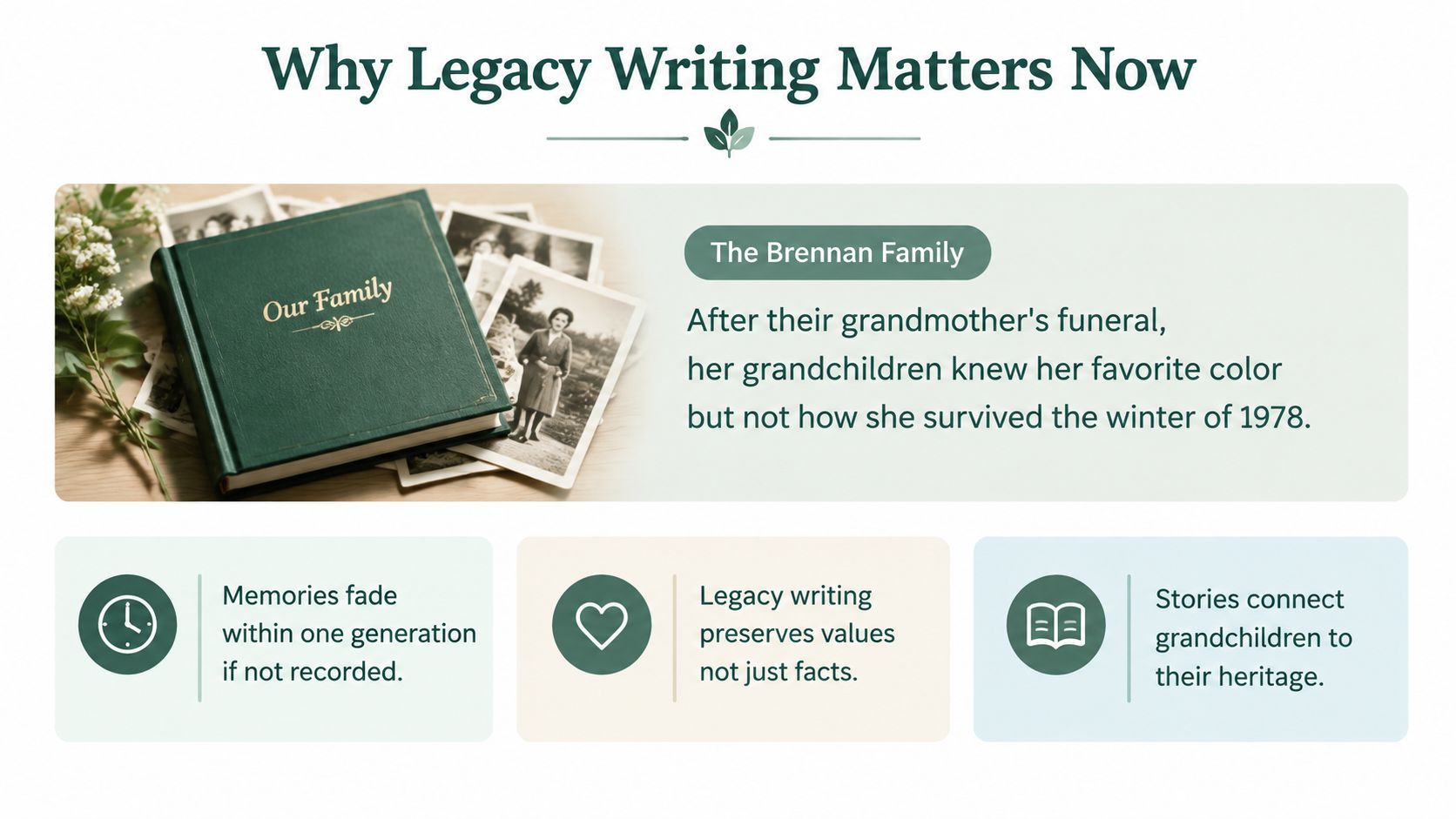
After the funeral, the Brennan grandchildren discovered an uncomfortable truth. They knew their grandmother's favorite color, the recipes she made without measuring, and the way she corrected everyone's grammar. They didn't know how she survived the winter of 1978, which decisions kept the family together, or what she'd learned when life became difficult.
That loss is common because families treat stories as if they'll remain available on request. They won't. Writing a legacy is the practical decision to capture, organize, protect, and share a person's experience before illness, distance, or ordinary forgetfulness closes access.
Table of Contents
- Why Legacy Writing Matters Now
- Capturing the Raw Material
- Organizing Stories Into a Coherent Record
- Choosing the Right Format for Your Family
- Preserving the Work for Future Generations
- Deciding What to Keep and What to Protect
- Your 90-Day Legacy Writing Plan
Why Legacy Writing Matters Now
A legacy record doesn't need to resemble a polished memoir. It can be a collection of recorded conversations, labeled photographs, recipes with explanations, scanned letters, short reflections, or an audio file in which someone tells the same story they've told at the kitchen table for years. Literary quality matters less than access, context, and deliberate choices about what future relatives should receive.
Diaries became especially prominent in the late Renaissance as the importance of the individual gained emphasis, and the form has long helped preserve social and political history, as Britannica's history of diary literature explains. Historians use diaries, autobiographies, journals, and memoirs to reconstruct lived experience, although the Open University's guide to historical sources cautions that personal accounts can be unrepresentative and may be written long after the events.
That combination of immediacy and hindsight makes family records valuable. They preserve how a person experienced an era, not only what official documents say happened.
Practical rule: Don't wait for a perfect manuscript. Preserve the story in the form the storyteller can actually complete.
The wider inheritance picture makes this urgent for another reason. The Urban Institute projects that $124 trillion will change hands between now and 2048, calling it the largest intergenerational wealth transfer in history, as documented in its analysis of intergenerational wealth transfer. Legacy includes money, but it also includes the reasoning behind family decisions, the values attached to possessions, and the stories that help heirs understand where they came from.
Treat the work as four connected phases:
- Discovery: Find stories, people, documents, photographs, and places that can retrieve memory.
- Organization: Add names, dates, themes, and context so the material can be followed.
- Production: Create a book, archive, audio collection, video, or combination.
- Preservation: Store multiple copies, document access, and decide who receives what.
Start with a simple legacy planning guide, then put a date on the first interview. A family record becomes useful when someone besides the creator can open it and understand it.
Capturing the Raw Material
Begin with discovery, not drafting. Asking an older relative to “tell the family story” is too broad. People usually respond with the most familiar anecdotes, while the details that matter most remain buried in ordinary objects, places, and sensory memories.
Use four sources rather than relying on one interview.
Start with conversations that invite detail
One-on-one interviews often produce the deepest material because the speaker doesn't have to perform for siblings or correct a cousin's version. Record two external lavalier microphones into a phone when possible. Choose a quiet room, silence notifications, and remove interruptions. Keep each session to about 45 minutes, then stop while the person still has energy.
Ask questions that require scenes rather than summaries:
- What did your kitchen smell like on Sunday mornings?
- Who were you most afraid of as a child?
- When did you first feel old?
- What did your family do when money was tight?
- Which object in this house has the strongest memory attached to it?
- What did you believe about marriage, work, or responsibility that changed later?
A useful collection of interview questions for grandparents can help you prepare, but don't read questions mechanically. Follow the unexpected answer. If someone mentions a winter, a neighbor, or a job they hated, ask what happened next, who was there, and what they remember seeing or hearing.
Add group conversations and physical evidence
Small conversations with siblings or cousins reveal disagreements and missing pieces. Keep the group small enough that quieter relatives can speak. Ask one person to identify a photograph, then invite others to add what the image leaves out.
Search for evidence in predictable places:
- Paper records: Letters, diaries, recipe cards, certificates, military records, and school papers.
- Photographs: Check backs, envelopes, albums, and handwriting on loose prints.
- Household objects: Tools, jewelry, furniture, religious items, and clothing can trigger stories.
- Places: Visit a former home, workplace, cemetery, neighborhood, or holiday location if the person can travel safely.
Tangents aren't failures. Keep a separate sidebar file with the recording name, timestamp, and topic, then return to the main question without interrupting. The sidebar may later become one of the strongest chapters.
Interview elders while they're healthy enough to engage comfortably. Don't wait until a family crisis turns a planned conversation into an urgent extraction of memories.
Organizing Stories Into a Coherent Record
Raw material feels rich at first because the family remembers what every file means. Future readers won't have that advantage. Organization turns a folder of audio, photographs, and documents into a record that a grandchild can open without a tour from the original collector.
Use a thematic-then-chronological structure. Themes give the archive meaning, while dates prevent the narrative from floating outside history. For the Brennan family, a workable outline might look like this:
| Theme | Year Range | Key People | Sample Source |
|---|---|---|---|
| Origins | Childhood years | Grandmother, parents, siblings | Recorded interview and family photograph |
| Migration | Early adulthood | Grandmother, spouse, relatives | Address book and letter |
| Work | Working years | Grandmother, colleagues, children | Employment papers and interview |
| Hard Seasons | Winter of 1978 and later challenges | Grandmother, children, neighbors | Audio recollection and newspaper clipping |
| Rituals and Recipes | Across adulthood | Grandmother, grandchildren | Recipe cards and kitchen interview |
The year ranges don't need to be exact at first. Mark uncertainty clearly, then return to it during review. A note such as “late 1970s, confirm” is more useful than a confident but unsupported date.
Make every story retrievable
Create tags for people, places, decades, and themes. A recording about the winter of 1978 might carry tags for Grandmother, the family home, the 1970s, hardship, and resilience. Those tags let a reader find the story through different paths instead of forcing them to browse every folder.
Use a stable file naming pattern, such as:
1978_Hard-Seasons_Grandmother_Winter-Story
Keep names descriptive, avoid vague labels such as “Scan 4,” and preserve the original file separately from edited versions.
Edit for access, not performance
Selective transcription is usually better than typing every word. Transcribe passages that carry facts, emotion, family vocabulary, or historical context. For longer recordings, write a short summary and include the audio timestamp where the full passage begins.
Add scene captions under 75 words. A useful caption answers who, where, when, and why the image matters. For example: “Grandmother stands outside the rented house after the family moved north. She kept this photograph in a recipe box and later described the move as the first time she felt responsible for everyone.”
A grandchild shouldn't need to know which cousin scanned a photograph or why a file was saved. Put that context beside the material.
Create a draft contents page before you finish every story. It exposes gaps early, especially missing people, unexplained moves, and photographs with no names.
Choosing the Right Format for Your Family
Format choice isn't a matter of taste. It's a decision about who will access the record, how often it will change, and what kind of failure the family can tolerate.
A private printed book works well when the material is settled, the audience is known, and relatives want something they can hold without an account or device. A shared digital archive suits a larger or geographically dispersed family, particularly when contributors will keep adding photographs and memories. Audio and video are strongest when voice, expression, accent, and timing carry meaning that prose would flatten.
| Format | Cost Range | Longevity | Access for Heirs | Update Friendly |
|---|---|---|---|---|
| Private printed book | Depends on design, printing, and copies | Acid-free paper can last when stored properly, but physical damage remains a risk | Simple for relatives who prefer paper | Difficult to revise after printing |
| Shared digital archive | Depends on storage, scanning, editing, and account services | Depends on account continuity, file formats, and migration | Strong for dispersed families with reliable digital access | Easy to update when ownership is documented |
| Video or audio collection | Depends on recording, editing, and storage | Digital files need active maintenance and migration | Best for relatives who want to hear or see the storyteller | Easy to add files, harder to edit into a coherent whole |
| Hybrid physical and digital record | Combines production and storage decisions | Benefits from both physical and digital copies | Reaches relatives with different preferences | Digital portion updates more easily |
Don't default to a coffee-table book because it feels tangible. A tagged PDF archive with audio links may reach more descendants than an expensive volume that sits on one shelf. Conversely, a beautifully printed book can give relatives without strong technical confidence a dependable entry point.
A service such as what a memory book can include may fit families that want names, photographs, stories, milestones, and contributions brought together in a shareable life record. It's one option, not a substitute for deciding who owns the files and how heirs will access them.
Choose according to the family's actual situation:
- Large family with dispersed heirs: Use a shared digital archive, then distribute a simple printed guide or selected book.
- Few heirs who prefer video: Create a well-labeled video or audio collection with written summaries.
- Mixed generations: Use a hybrid, with a printed core record and a maintained digital archive.
The right medium serves the message. It shouldn't become the message.
Preserving the Work for Future Generations
A backup is not a preservation plan. One hard drive in a closet, one cloud account tied to a single email address, or one binder stored below a leaking pipe can all fail without warning.
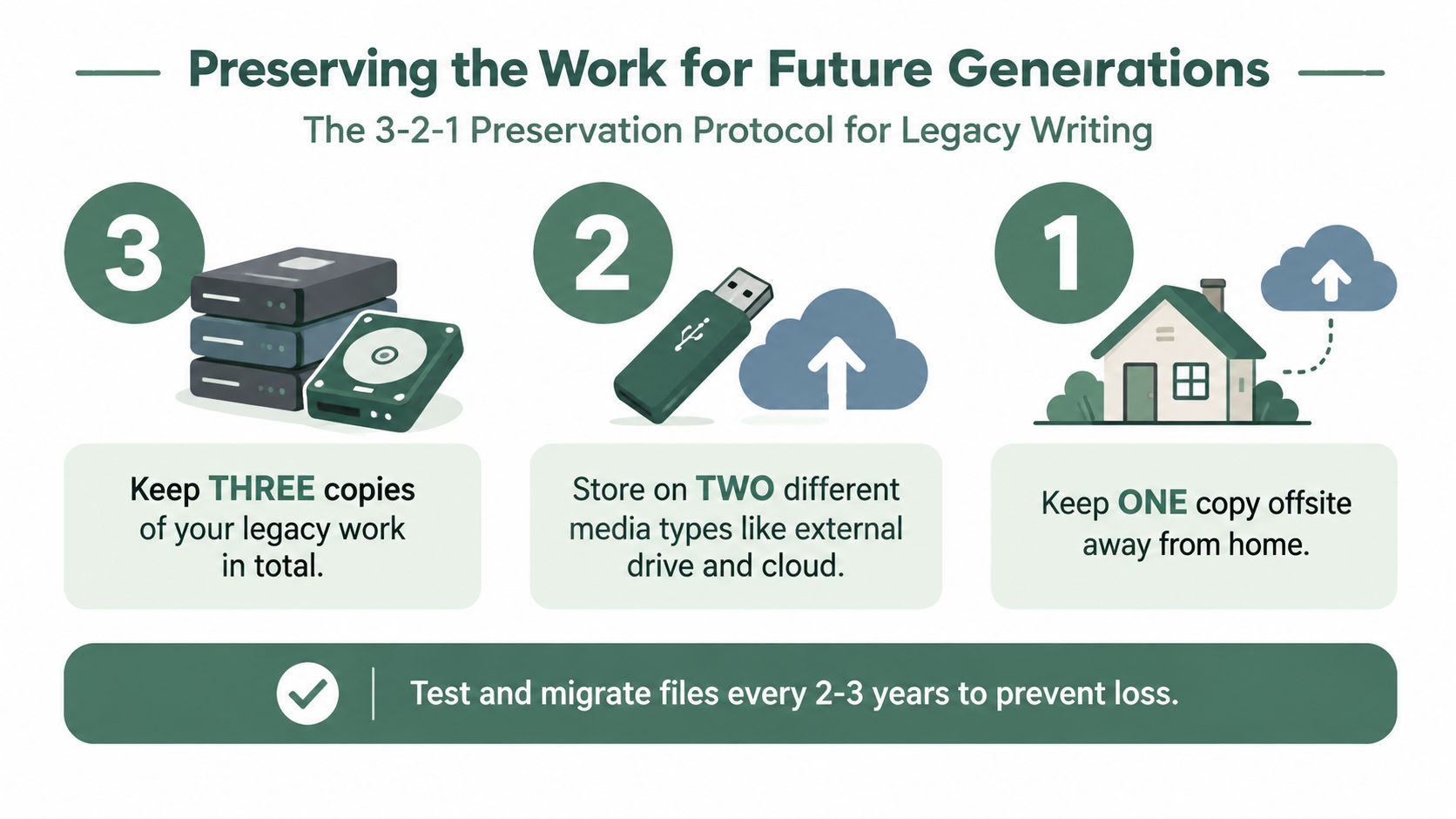
Use a 3-2-1 preservation model:
- Keep three copies of the archive.
- Store them on two different media types.
- Keep one copy offsite, away from the home.
Apply the model to scanned photographs, original documents, interview audio, edited video, transcripts, and the final compiled record. For practical format choices, use PDF/A for documents, TIFF for high-quality scans, FLAC for audio, and MP4 with H.264 for video. Keep original files as well as edited exports, and record the software used to create anything that may need future conversion.
Write the access instructions
Create a one-page handoff document and store it with every major copy. Include:
- Archive location: Name the physical locations, drives, folders, and cloud service.
- Custodian: Identify who maintains the archive and who takes over if that person can't.
- Credentials: Explain where passwords and recovery information are held. Don't place sensitive passwords in an unprotected document.
- File guidance: State which applications open the files and what to do if a format becomes obsolete.
- Permissions: Identify private, family-only, delayed-release, and public materials.
- Update responsibility: Name the person who will review files and migrate them when needed.
The UNESCO and PERSIST draft guidelines emphasize documenting preservation decisions for governance and future reassessment. That principle applies to families too. Write down why you kept certain materials, excluded others, selected particular formats, and limited access.
The operational risk is real. The PERSIST guidelines and related archival evidence describe a preservation process built around appraisal, rights, sustainability, and written documentation. Large cultural institutions can struggle at this layer, so families shouldn't assume their own files will survive by accident.
Review the archive periodically, test that copies open, and migrate files before hardware or software becomes unfamiliar. Guidance on cloud storage for families can help with the storage decision, but cloud storage is only one part of the protocol.
Deciding What to Keep and What to Protect
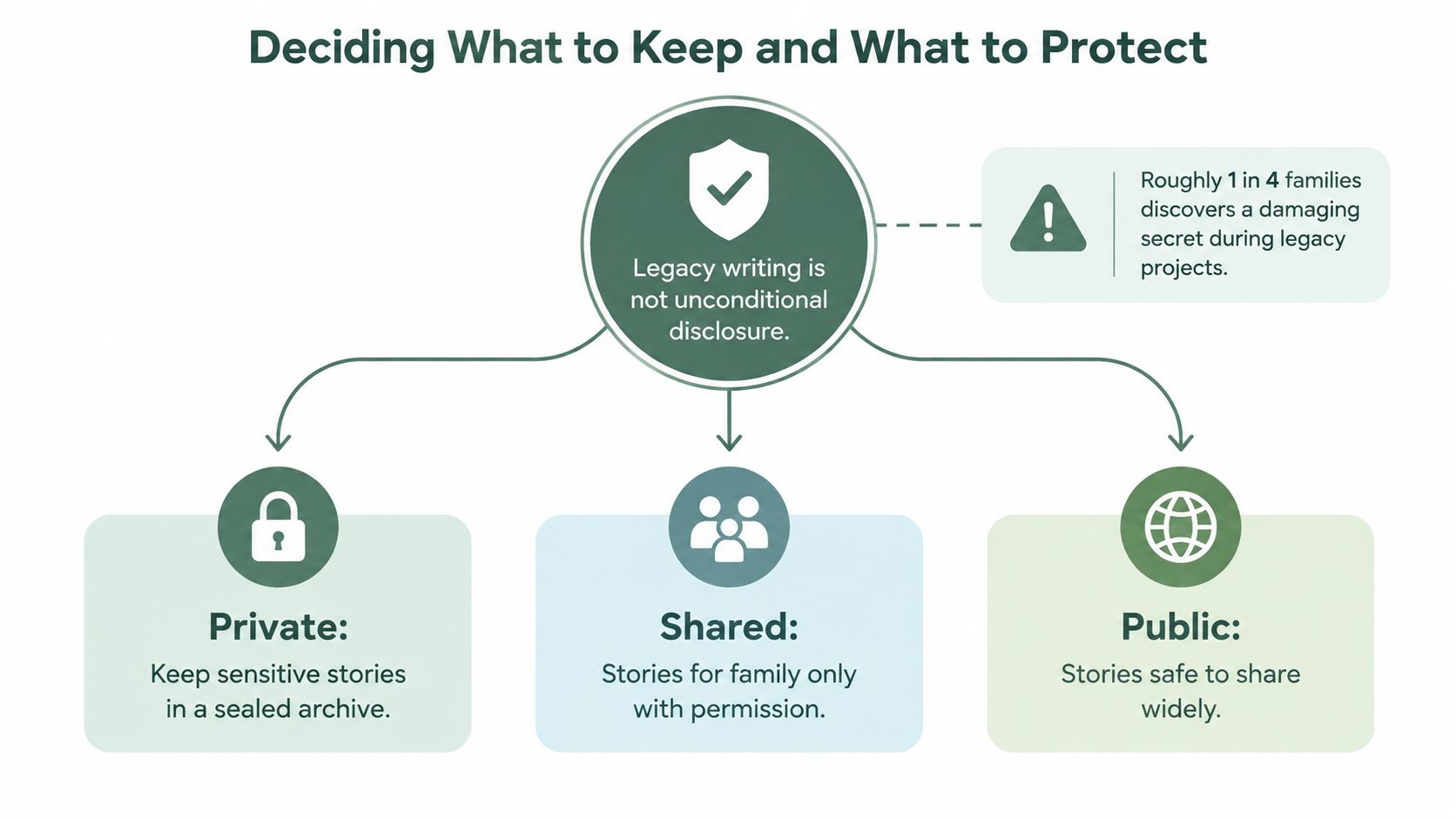
Legacy writing isn't unconditional disclosure. The family deserves meaningful stories, but identifiable people also deserve consent, privacy, and protection from information they never agreed to publish.
A 2025 legacy report on privacy and digital inheritance found that 45% of Americans said it wasn't important whether their private messages were viewed after death. That finding points to a serious design question. A complete digital history isn't automatically a responsible inheritance.
Use four decisions, assessed against two questions: How much could this harm the subject or another person? And How relevant is it to the family's core story?
| Decision | Use it when | Example |
|---|---|---|
| Keep | The material is relevant and the risk is acceptable | A grandparent's wartime experience that explains later values |
| Redact | The story matters, but identifiable details could cause avoidable harm | An affair that would wound a living child |
| Delay release | The material may be appropriate later, but timing matters | A sealed medical diagnosis reserved for relevant heirs when they're older |
| Destroy | The material adds little meaning and carries serious privacy, legal, or safety risk | Private messages with no legacy value |
Write consent into the process. Ask living relatives and named third parties whether they agree to be identified, quoted, photographed, or included in recordings. Consent should cover the intended audience, not just the act of recording.
Use access levels instead of one universal archive
Create separate folders or labels for:
- Private: Sensitive stories held in a sealed archive.
- Shared: Family material available only to approved relatives.
- Public: Stories safe to distribute more widely.
A second trusted reader should audit the draft before finalization. Ask that person to flag identifiable people, unsupported claims, private information, accidental disclosures, and passages that could be misunderstood without context. The original writer is often too close to notice what another reader will immediately see.
Your 90-Day Legacy Writing Plan
A legacy project needs a finish line. Without one, families collect files indefinitely, postpone difficult conversations, and mistake accumulation for completion.
Days 1 through 7 set the project up
Choose one lead writer or coordinator. That person doesn't have to create every page, but they must own the schedule, folder structure, permissions list, and follow-up.
Identify the first three sources, such as an elder interview, a box of letters, and a family photograph album. Create folders for Originals, Working Files, Transcripts, Photos, Permissions, Final Record, and Access Instructions.
Checklist: Name the coordinator, schedule the first interview, identify three sources, and create the shared workspace.
Days 8 through 30 gather material
Record two conversations each week if the storyteller is comfortable. Alternate between life stages, family relationships, work, hard seasons, places, food, and beliefs. Spend a little time each day labeling files and transcribing selected passages. Waiting until the end creates a pile that nobody can confidently interpret.
Collect photographs and documents during the same period. Photograph the front and back of images, preserve handwritten notes, and log names or dates that relatives can confirm.
Checklist: Complete the scheduled recordings, label every file, scan or photograph the first document group, and record open questions.
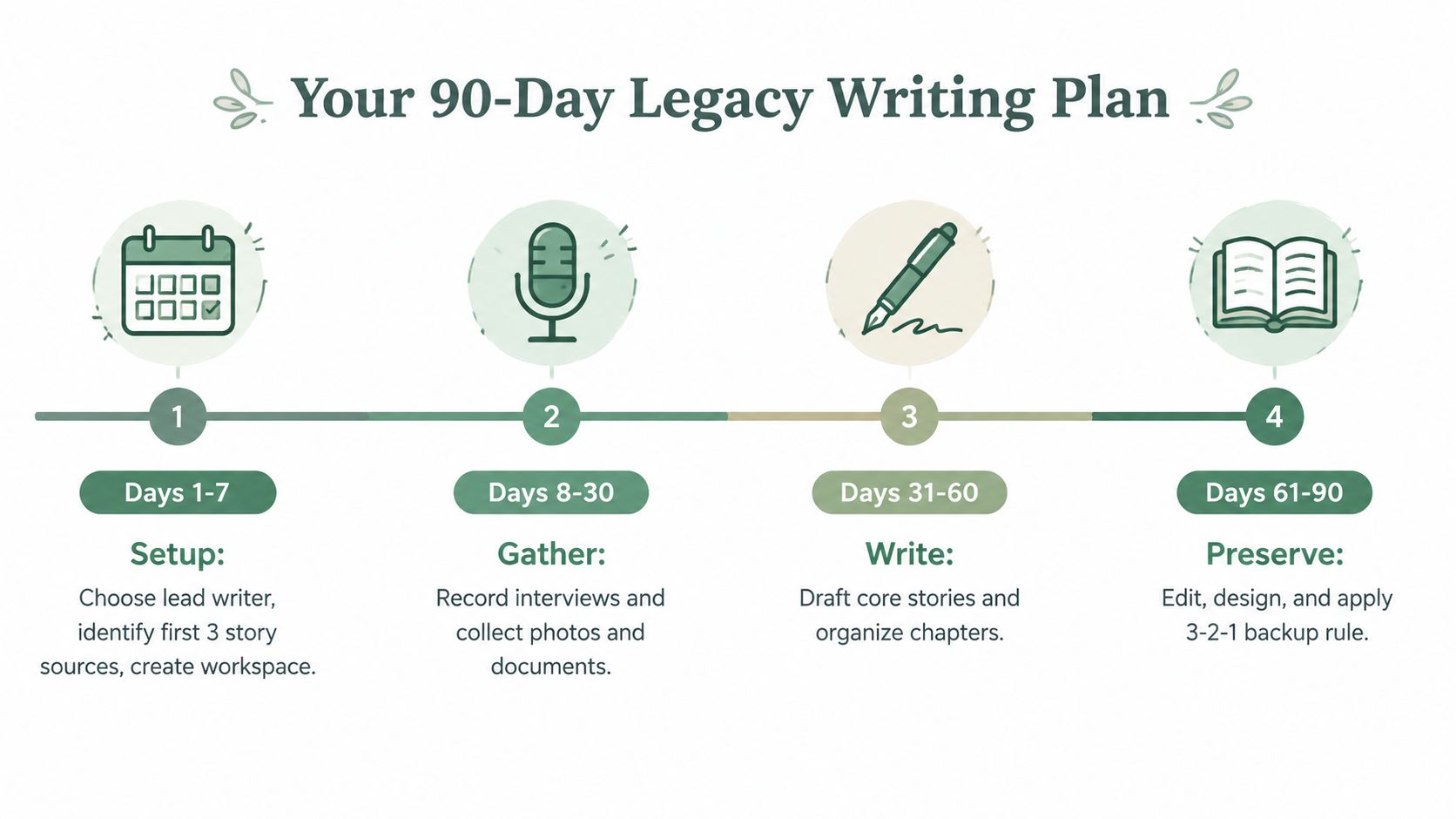
Days 31 through 60 organize and draft
Sort transcripts and recordings into themes. Build the timeline, identify contradictions without forcing a false resolution, and draft a contents page. Write short scene captions for photographs and connect each major story to its source file.
At this stage, don't polish every sentence. Produce a readable core record first. Mark missing information with questions for follow-up rather than inventing transitions or details.
Checklist: Complete the thematic outline, label people and places, draft the contents page, and resolve the most important unanswered questions.
Days 61 through 80 select the format and review privacy
Choose the output based on the family's access needs. Prepare the book, archive, or audio and video collection. Separate private material from family-access material, obtain consent from identifiable living people, and ask a second reader to audit the draft.
Checklist: Select the format, finish the privacy review, confirm permissions, and complete the final edit.
Days 81 through 90 preserve and deliver
Create the three-copy, two-media, one-offsite preservation set. Write the access letter, identify a backup custodian, test the files, and place the permissions record with the archive. Then distribute at least one finished copy to an heir.
The project isn't finished when the creator says the files are done. It's finished when a real family member can open the record, understand what they're seeing, and know what to do next.
Checklist: Complete the preservation copies, write access instructions, test retrieval, name the successor custodian, and deliver one copy by the deadline.
remembers.life lets families create a life story with names, photographs, stories, milestones, voice recordings, and contributions from relatives, giving your preservation project a structured place to begin. Visit remembers.life, choose the first story you want to save, and invite one family member to help you turn it into a record future generations can access.