10 Memory Keeping Ideas for Every Family Story
Explore 10 memory keeping ideas, from memoirs and scrapbooks to digital archives, videos, recipes, and heirlooms built to last.
A family's memories often exist in more places than anyone can name: photographs on several phones, recipes written on cards, recordings in an old laptop, certificates in a box, and stories that only one relative still remembers clearly. The collection keeps growing, but nobody has decided what belongs together, who should access it, or how future family members will find it.
The strongest memory keeping ideas match the medium to the memory. A voice recording needs different treatment from a wedding invitation, and a family tree answers different questions from a letter intended for a grandchild. The practical aim isn't to preserve everything. It's to preserve the right details in a form people can understand and use.
Use four questions before starting: What are you preserving? Who should access it? How much effort can you sustain? How will it survive changing technology or aging materials? This list moves from shared digital homes to recordings, printed books, lineage, recipes, scrapbooks, and messages intended for the future.
For families that want one place for life stories, photos, milestones, and contributions from several relatives, remembers.life is one option for creating and organizing a shared digital record. Choose one format first, then add supporting formats only when they make the story clearer.
Table of Contents
- 1. Digital Legacy Platforms
- 2. Audio and Video Storytelling
- 3. Photo Books and Printed Albums
- 4. Family Tree and Genealogy Documentation
- 5. Memory Journals and Written Memoirs
- 6. Heritage Recipe Collections
- 7. Milestone Celebration Scrapbooking
- 8. Letter Writing and Time Capsule Projects
- 9. Oral History Interview Collections
- 10. Life Timeline and Milestone Documentation
- 10 Memory-Keeping Ideas Compared
- Build a Legacy That Can Be Found, Felt, and Shared
1. Digital Legacy Platforms
A digital legacy platform gives scattered family material a shared starting point. It can connect photographs, documents, milestones, stories, and recordings by person, life chapter, or family theme, creating an index for the whole family archive. Remembers.life, Legacy.com, Ancestry.com, and StoryCorps serve different needs, from private family records and memorial information to genealogy and oral histories. Choose based on privacy, collaboration, searchability, and the kinds of files relatives will use.
Start with one person, such as a parent or grandparent, and build a small foundation. Create sections for childhood, work, relationships, places lived, traditions, and lessons. Add a limited set of meaningful items before importing everything. Record a date or approximate period, identify people in each image, and add the reason an item matters. Context turns a recognizable photograph into a useful record for relatives who were not there.
Access rules deserve the same attention as uploads. A practical guide to digital legacy planning can help you decide who may contribute, who can view sensitive material, and what happens if the account owner can no longer manage it. Cloud storage is convenient for family access, but privacy settings and subscription changes need regular review.
Practical rule: A digital archive needs a map. Write down where the archive lives, who can access it, and how relatives should begin exploring it.
Keep a secondary copy of irreplaceable files, review privacy settings, and leave clear instructions for family members. The scale of digital photo collections makes this planning more pressing. One estimate puts the total at 14.3 trillion photographs globally, while a 2026 survey of 8,000 consumers reported that 77% had made no plan for their digital photos after death and one in three had no printed photo of family or friends at home. The survey data on digital photo overload and succession planning highlights the practical gap: families have abundant memories, but access and succession remain unclear.
2. Audio and Video Storytelling
A written account can explain what happened. A recording can preserve how someone sounded while remembering it. Voice, pauses, laughter, pronunciation, and hesitation add information that captions alone can't carry, especially when a family member is describing a home, a relative, or a tradition that no longer exists.
Start with one conversation, not a documentary. Ask a parent about the first home they remember, a career decision, a family celebration, or the advice they received from an older relative. Use a smartphone in a quiet room, place it on a stable surface, and agree on whether the recording is private or shareable. Several short sessions usually feel less demanding than one long interview.
For a searchable archive, pair each recording with a short description, the date, the speaker's name, and the subjects discussed. A transcription can help relatives find a specific story later and can make the material more accessible to people who can't listen easily. Remembers.life describes voice recording with automatic transcription as a way to save spoken memories in a searchable family archive. Its life story audio recording guide offers a useful starting point for planning the conversation.
You can also study public approaches such as the StoryCorps project recording family interviews, or use a guide to voice guestbook memories when collecting messages around a wedding or another shared event.
Starting workflow
- Prepare prompts: Write questions that invite specific stories rather than yes-or-no answers.
- Record naturally: Let the speaker follow useful tangents instead of interrupting every pause.
- Label immediately: Save the file with the speaker, subject, and date.
- Transcribe and review: Correct names and places, then ask the speaker whether anything should remain private.
The preservation checkpoint is consent. Confirm whether the recording may be shared with the whole family, limited to selected people, or kept private. Store the original recording and a second copy in a separate location. Video adds facial expression and surroundings, but audio is often easier to record, store, and revisit, so choose the format the storyteller will tolerate.
3. Photo Books and Printed Albums
A printed album creates a physical meeting point for family members. It doesn't require a password, app update, or charged device, and its value comes from the combination of selection, sequence, and context. The weakness is that printing can make poor organization permanent. A beautiful book full of unidentified faces becomes an attractive mystery.
Start with one defined collection, such as a particular move, family holiday, school period, or year. Create a working folder, remove duplicates, and select photographs that show more than posed appearances. Include ordinary scenes, familiar rooms, clothing, pets, and routines. Those details often explain what daily life felt like better than formal portraits do.
Write captions before designing pages. Identify people from left to right, add the location, and include a sentence about what happened. If you aren't certain about a date, use an approximate description rather than presenting an assumption as fact. A printed photo book can sit alongside a digital archive, with the digital version holding longer stories and higher-resolution originals.
For a more narrative approach, photo essay book guidance can help you arrange images around a theme rather than treating the book as a dump of camera-roll favorites. Services such as Shutterfly, Snapfish, Artifact Uprising, and Blurb offer different design and paper choices, while a traditional album may be easier to add to over time.
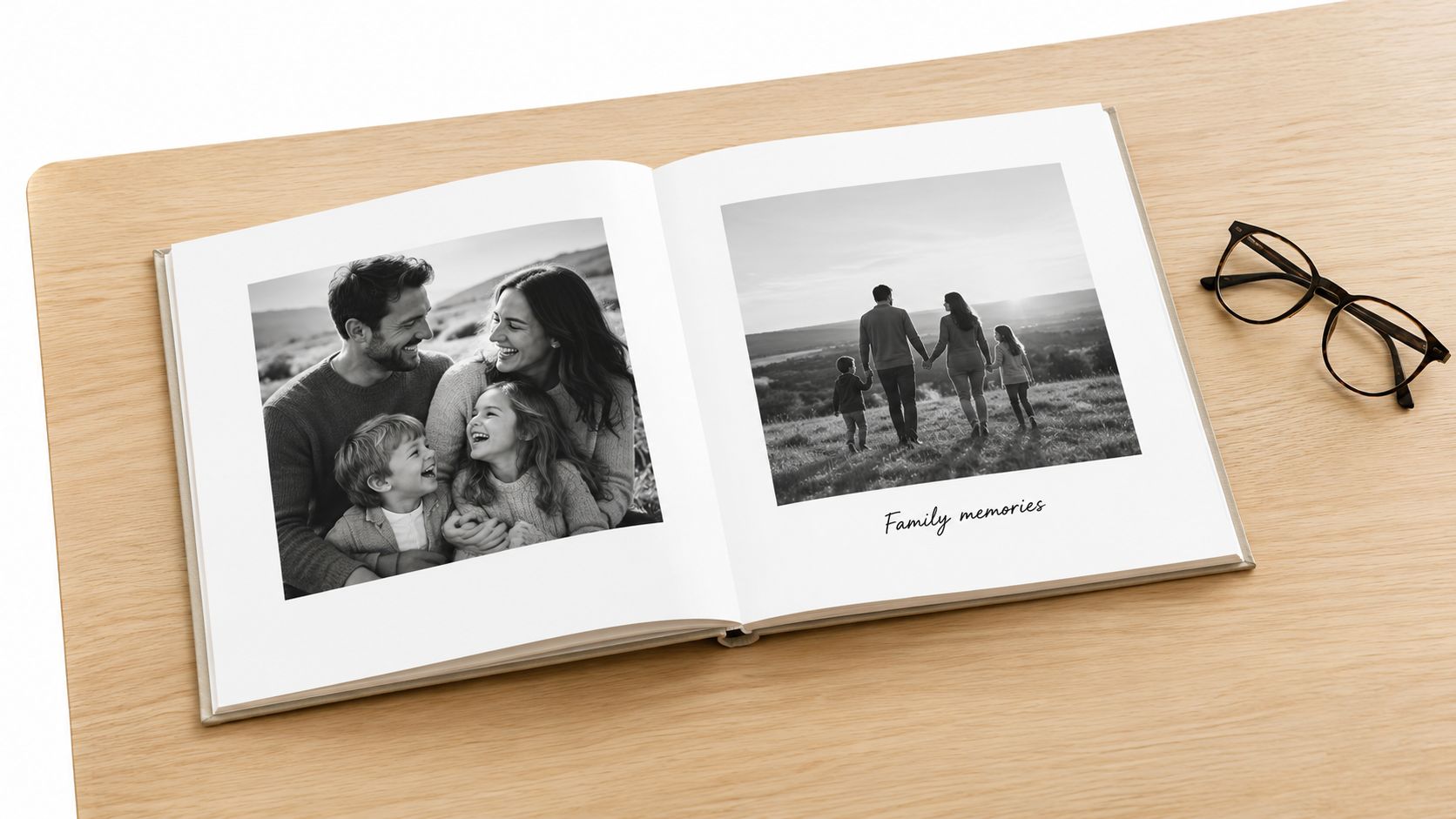
A printed album should answer three questions for someone who wasn't there: Who is this, when was it, and why does it matter?
The preservation checkpoint is material care. Choose archival-quality paper and binding where practical, keep the album away from moisture and direct sunlight, and store digital copies of the edited pages and original photographs separately. If several relatives need a copy, decide whether identical books or smaller themed volumes will be easier for them to keep.
4. Family Tree and Genealogy Documentation
Genealogy preserves lineage and evidence, not just names in decorative boxes. A useful family tree shows how people are connected, where they lived, and which records support each relationship. It also distinguishes confirmed information from family tradition, an important difference when stories have been repeated for generations.
Begin with yourself and your parents. Record full names, alternative spellings, approximate dates, places, occupations, and relationships. Then ask older relatives what they know before searching online. Their memories may identify a nickname, village, migration route, or family connection that would be difficult to find through a name search alone.
Use platforms such as Ancestry.com, FamilySearch, or MyHeritage according to your research needs, and check local genealogy societies, libraries, and archives. Save a copy of important records and note where each fact came from. A source note can be as simple as the archive, document type, date, and reference details. Without that trail, later relatives can't tell whether a relationship came from a birth record, a family Bible, or an unverified online tree.
A family tree software guide can help you compare ways to organize names, documents, photographs, and stories. Don't let the visual tree become the entire project. A diagram shows connection, while an accompanying note explains the person behind the name.
Keep research and interpretation separate
- Confirmed record: State what the document supports.
- Family account: Identify who told the story and when.
- Open question: Mark details that need further checking.
- Sensitive information: Limit access to living people's private details.
The preservation checkpoint is provenance. Keep source references with the tree, export the data when the software allows it, and print a simple summary for relatives who prefer paper. Treat DNA matches thoughtfully, especially where the results could reveal unexpected relationships. A family tree should help people understand their history without exposing information carelessly.
5. Memory Journals and Written Memoirs
Writing preserves daily wisdom, personal interpretation, and the texture of a life. A timeline can tell you that someone changed careers. A memoir can explain what they feared, what they hoped would happen, and which small decision changed everything. That inner perspective is often the part families lose when they preserve only dates and photographs.
The best starting workflow is deliberately modest. Choose one prompt, set aside a comfortable place, and write about one scene rather than an entire decade. “Describe the kitchen you remember from childhood” is easier to answer than “Write your life story.” Add sensory details, family expressions, ordinary routines, and the emotions attached to the event.
A handwritten journal feels intimate, but it can be difficult for others to read and vulnerable to physical damage. A typed memoir is searchable and easier to duplicate, but editing can remove the writer's natural voice. Keep the original wording where possible, and use an editor to clarify structure or spelling without turning a personal account into a formal biography.
The digital legacy research shows why written journals may require stronger encouragement than photo projects. In a 2023 cross-national digital curation study, respondents rated photos as somewhat important heirlooms to preserve, while they were least inclined to leave notes and journals. The study on digital curation and heirloom preferences suggests that families may need to connect writing with a clear future use, such as explaining a recipe, recording practical advice, or preserving the meaning behind a photograph.
Start with one scene, not a whole life. A page about a bus ride, a first job, or a family meal can become the doorway to a much longer story.
The preservation checkpoint is legibility and consent. Scan handwritten pages, save typed files in more than one location, and store paper originals in acid-free materials. Ask before sharing sensitive reflections, particularly when a story includes living relatives.
6. Heritage Recipe Collections
A recipe can preserve food, technique, place, and family identity at once. The ingredient list matters, but so do the instructions that never made it onto the card: how the dough should feel, which pan is used, what substitution a relative makes, or why the dish appears at a particular gathering.
Start by choosing one signature dish. Ask the family cook to prepare it while you photograph the handwritten recipe, record the method, and write down the story connected to it. Don't rely on phrases such as “cook until done” if future cooks won't know what to look for. Record texture, smell, heat level, resting time, and the family variations that have developed.
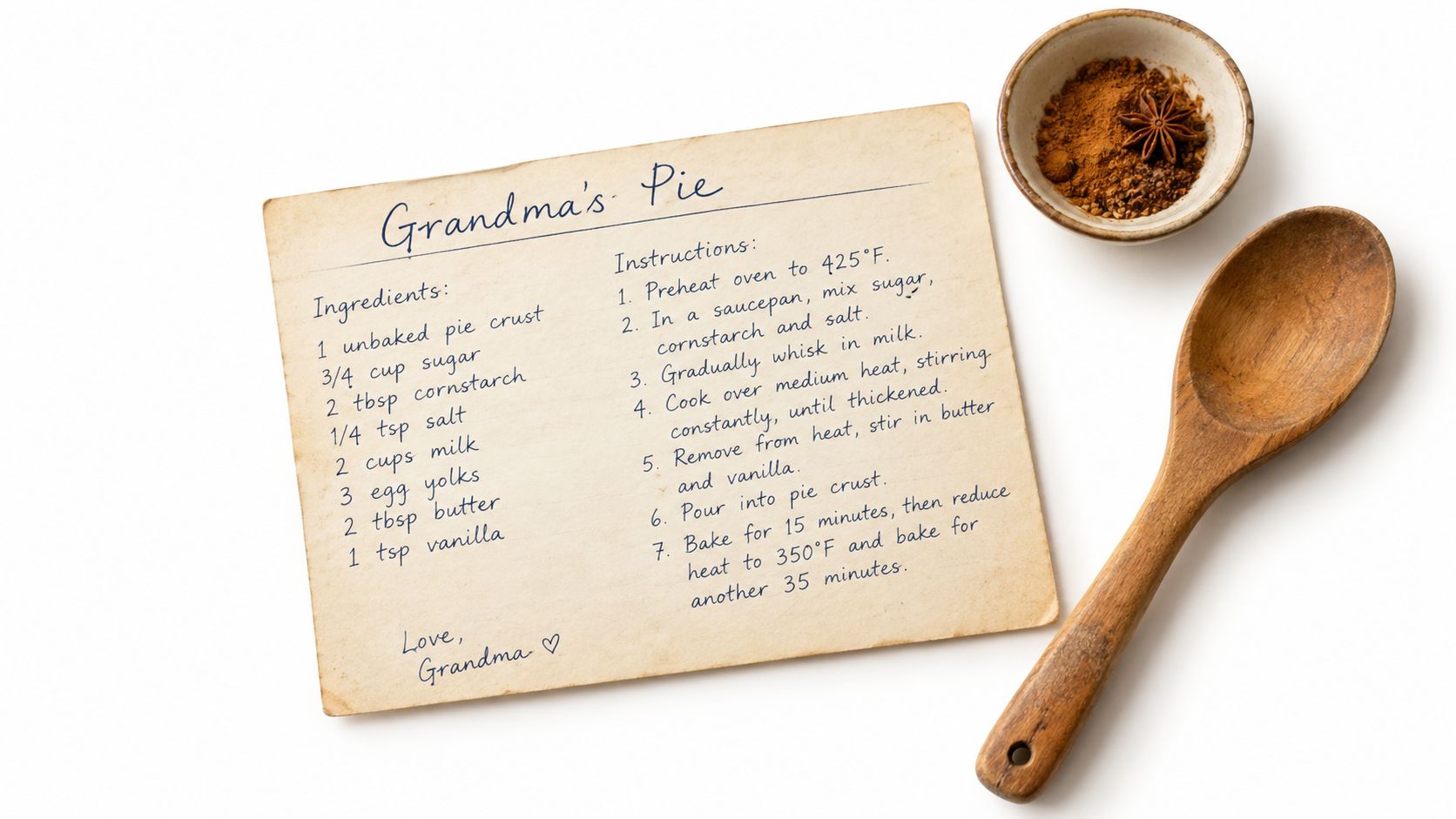
Test the recipe with someone who didn't grow up watching it being made. That test reveals missing measurements and unexplained steps. Include a photograph of the finished dish, a scan of the original card, and a short note about who made it, when the family ate it, and what the dish represents. You can organize a collection by meal, relative, region, or celebration.
A family recipe collection tutorial can offer ideas for combining food photographs and family media. A digital recipe platform makes searching easier, while a printed cookbook gives relatives something they can use in the kitchen. A video can preserve hand movements that are difficult to describe in prose.
Here is a practical way to divide the work:
- Document: Scan the original card and photograph the cook.
- Clarify: Test measurements, timings, and technique.
- Contextualize: Add the family story and the occasion.
- Share: Print copies and keep a digital version with the source materials.
The preservation checkpoint is redundancy. Keep the original card in a dry, stable place, store a scan separately, and preserve the video in a common file format. Add permission notes if the recipe belongs to a particular branch of the family or includes private cultural knowledge.
7. Milestone Celebration Scrapbooking
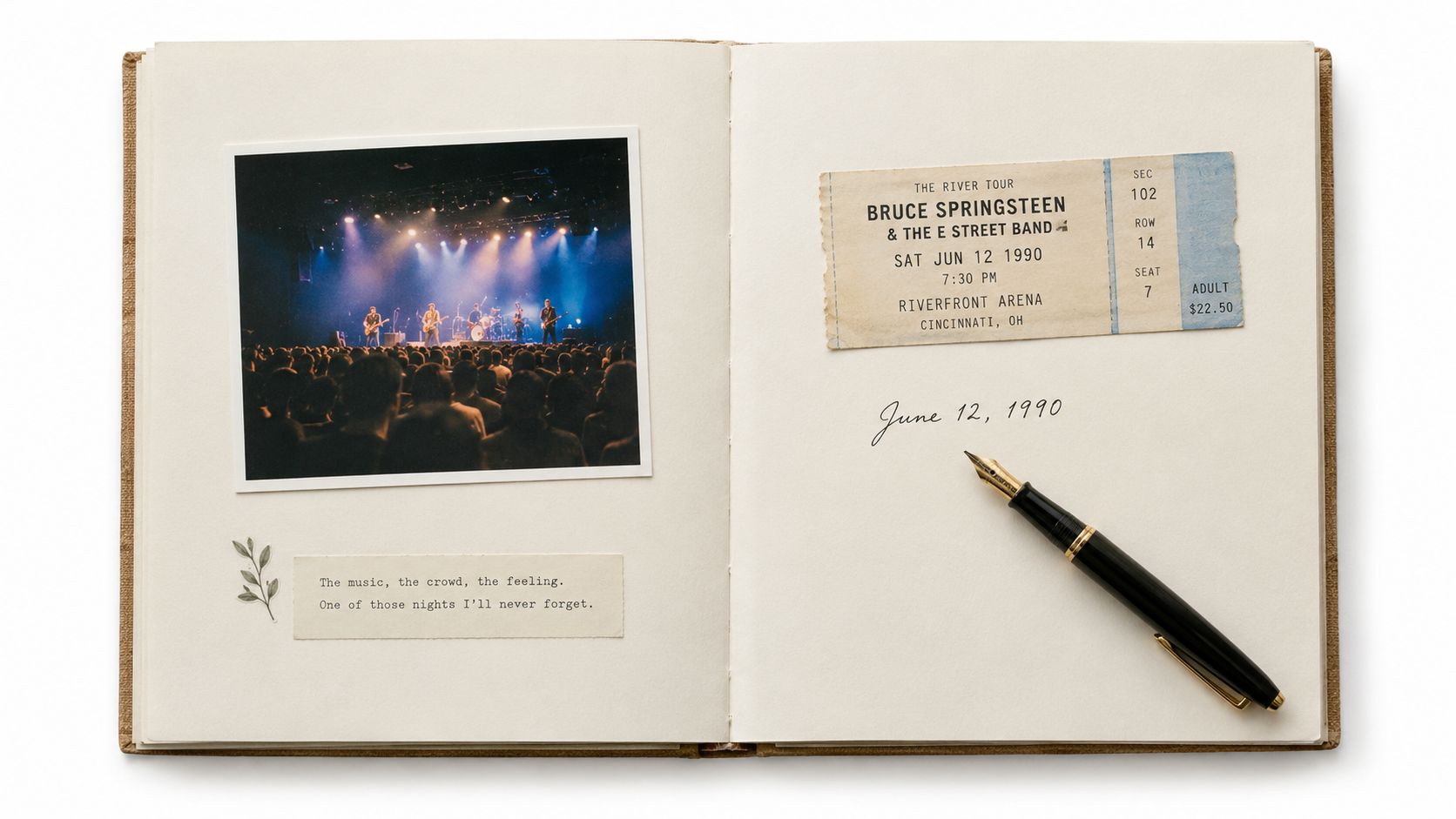
Scrapbooking preserves the feeling of an event, not just its official record. A graduation program, ticket stub, invitation, photograph, and handwritten reflection can show how a family experienced a milestone from several angles. The format suits weddings, anniversaries, concerts, journeys, graduations, and other occasions where physical objects carry meaning.
The tradition has deeper roots than many people realize. Commonplace books in 15th-century England gathered recipes, quotations, letters, and poems, while American women were assembling paper scrapbooks with clippings, botanical specimens, and handwritten letters by the 1840s. Mark Twain later patented the Self-Pasting Scrap Book in 1872, and reports say more than 25,000 units sold in its first year. This history of scrapbooking and memory keeping shows how personal archiving has repeatedly moved from individual habit into a broad cultural and commercial practice.
Start with the event's structure. Put the invitation or announcement near the opening, arrange photographs in a loose sequence, and add the date, location, names, and a short account of what people felt or noticed. Don't fill every space with decoration. Empty space can make captions easier to read and prevent the page from becoming difficult to revisit.
A reliable project sequence
- Gather photographs, paper keepsakes, and written memories.
- Scan anything irreplaceable before attaching it.
- Arrange the pages without adhesive.
- Add captions and reflections.
- Photograph or scan the finished pages.
The preservation checkpoint is archival quality. Use acid-free paper, suitable adhesives, and protective sleeves where appropriate. Digital scrapbooking reduces physical storage demands, but it still needs exported files and backups. The finished project should be enjoyable to look at, but it also needs enough context to make sense to someone who wasn't present.
8. Letter Writing and Time Capsule Projects
Letters and time capsules preserve a specific moment addressed to a specific future person. They can hold hopes, family advice, photographs, small keepsakes, and observations that would feel too deliberate for an ordinary journal. Their power comes from the delay. The recipient encounters the writer's perspective at a meaningful point in their own life.
Choose the recipient and opening condition before writing. It might be a child's adulthood, a graduation, a wedding, a move, or a family anniversary. Explain why the letter was written, what life looks like now, and what you hope the recipient understands later. Include practical advice alongside affection. Future readers often value descriptions of ordinary life as much as grand predictions.
A physical time capsule can include photographs, ticket stubs, newspaper clippings, drawings, and a written inventory. Use acid-free paper, avoid materials that may stain or deteriorate nearby items, and store the container in a secure, dry place. A digital letter is easier to duplicate and schedule, but it can be forgotten if the service changes or account access is lost.
Write for the person who will open it, not for an imaginary audience. Specific details make a letter feel lived rather than ceremonial.
The starting workflow is straightforward:
- Set the opening terms: Record the intended date or life event.
- Write candidly: Include hopes, uncertainty, humour, and practical knowledge.
- Add context: Identify people, places, objects, and current circumstances.
- Leave instructions: Explain who should deliver or open the material.
The preservation checkpoint is discoverability. Tell at least one trusted person that the time capsule exists, keep a duplicate of the letter if the contents are irreplaceable, and document where it is stored. Respect privacy when a letter discusses family conflict or sensitive experiences. A future message should create connection, not impose an unwanted disclosure.
9. Oral History Interview Collections
An oral history collection turns family conversation into a structured record of experience. It differs from a casual recording because the interviewer plans coverage across family, work, migration, relationships, challenges, beliefs, and lessons. The structure helps prevent a project from capturing only the stories that happen to come up at one dinner.
Create a question guide with broad prompts and follow-up questions. Ask, “What happened next?” or “How did that change the family?” rather than rushing to the next subject. Give the speaker permission to pause, correct the record, refuse a question, or request that a section remain private. A comfortable setting matters more than expensive equipment.
Plan several sessions around themes. One conversation might focus on childhood and education, another on work and major moves, and another on family traditions. At the beginning of every file, state the speaker's name, the date, the location, and the interview topic. That spoken label can remain useful even if the file is separated from its original folder.
A 2023 survey on personal digital legacy found that 63.3% of respondents used at least one cloud storage platform, most often for digital photographs, but only 4.8% had made plans or taken actions to preserve their digital legacy. The survey abstract on personal digital legacy planning highlights why recording an interview is only part of the work. Families also need a plan for labeling, storing, and handing over the collection.
Interview preservation checkpoint
- Consent: Agree on recording, transcription, and sharing permissions.
- Description: Add names, topics, dates, and places to every file.
- Access: Decide who can listen now and who may access it later.
- Copies: Store the original, a working copy, and a backup separately.
Transcribe the recordings where possible, then review names and local terms with the speaker. Keep the natural voice in the audio, even if the transcript is lightly edited for readability. The result should preserve both the person's words and the circumstances in which they spoke.
10. Life Timeline and Milestone Documentation
A life timeline preserves sequence and change. It helps relatives see how births, moves, education, work, relationships, challenges, and achievements shaped one another. Unlike a family tree, which emphasizes connection between people, a timeline follows one person or household through time.
Begin with major anchors: birth, childhood homes, school, first work, partnerships, parenthood, relocations, major illnesses, achievements, and retirement. Then add smaller details that explain what each period felt like. A move is more useful when the timeline notes why it happened, who came along, and what changed afterward.
Create two versions. The summary version can fit on a poster or a single digital view, while the detailed version can hold photographs, documents, audio, and longer stories. Tools such as TimelineJS can support interactive presentations, and a shared life-story platform can combine milestone entries with contributions from relatives. A wall-mounted timeline offers immediate visibility, but it needs careful protection from sunlight, handling, and changing household arrangements.
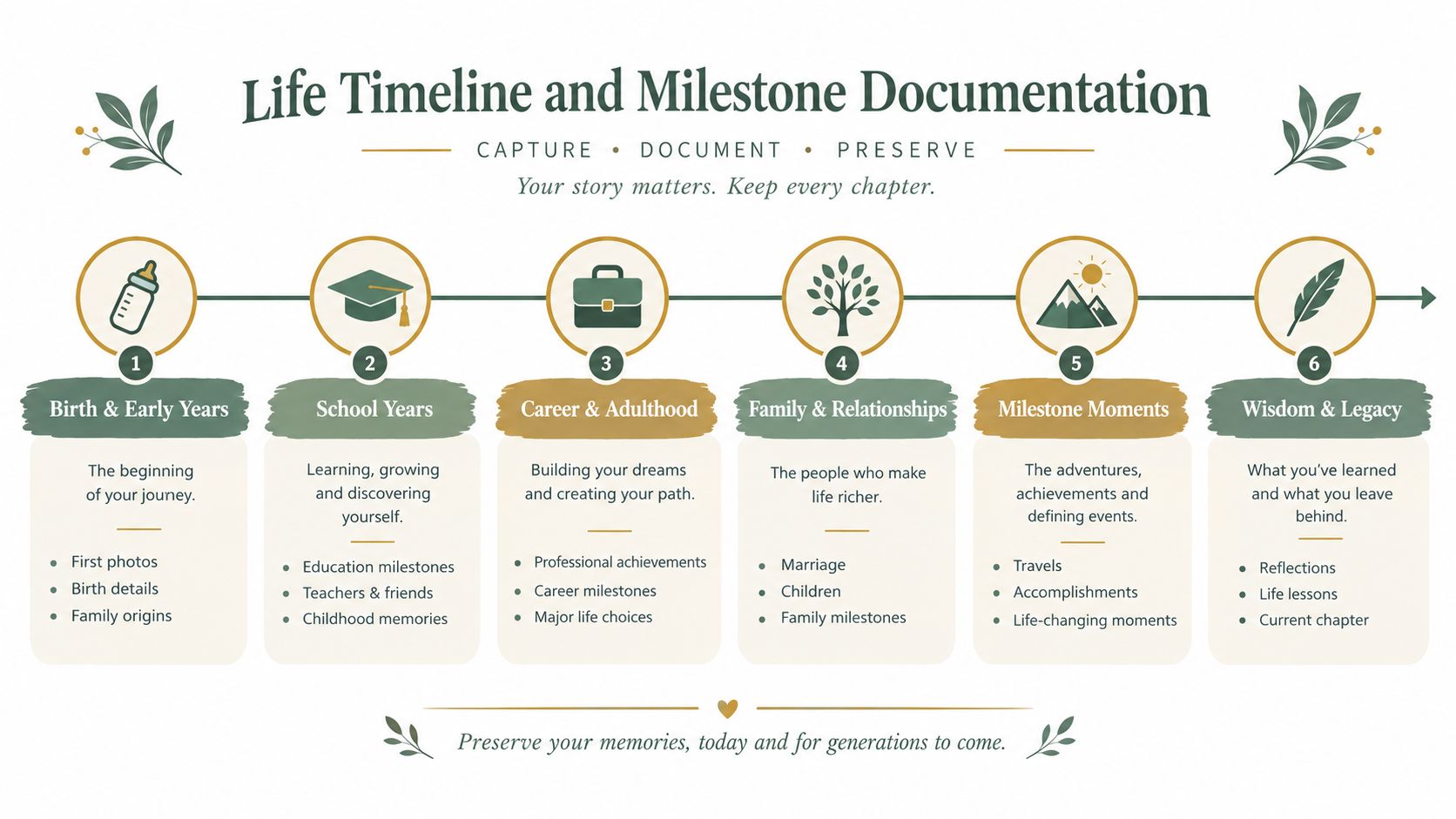
Invite family members to review the first draft. Different relatives may remember the same event differently, and those perspectives can become linked notes rather than competing entries. Mark uncertain dates clearly, especially when records and recollections don't align.
The preservation checkpoint is update discipline. Save an export of the timeline, keep original photographs and documents in a separate archive, and record the source of important dates. Review it after major family events instead of trying to rebuild the entire record years later. A timeline becomes more meaningful when it includes both achievements and difficulties, with enough context to show how a life actually unfolded.
10 Memory-Keeping Ideas Compared
| Approach | Implementation 🔄 (complexity) | Resources ⚡ (requirements) | Expected outcomes ⭐ / 📊 | Ideal use cases |
|---|---|---|---|---|
| Digital Legacy Platforms | Moderate, initial setup, privacy & maintenance 🔄 | Moderate–High, internet, subscriptions, cloud storage ⚡ | ⭐⭐, Centralized, searchable multimedia archive 📊 | Long-term, multi-user legacy preservation across distances |
| Audio and Video Storytelling | Moderate–High, recording, editing, session planning 🔄 | High, quality equipment, storage, transcription services ⚡ | ⭐⭐⭐, Powerful emotional authenticity; voice preserved 📊 | Capturing voice/presence and multisensory family stories |
| Photo Books and Printed Albums | Low–Moderate, selection, layout, ordering 🔄 | Moderate, printing costs, photo organization, time ⚡ | ⭐⭐, Tangible, displayable heirloom with lasting quality 📊 | Tangible keepsakes, gifts, non‑tech-savvy family members |
| Family Tree & Genealogy Documentation | High, research, verification, citation work 🔄 | Moderate–High, records access, subscriptions, possible DNA tests ⚡ | ⭐⭐, Comprehensive lineage view and family connections 📊 | Documenting lineage, connecting distant relatives, research projects |
| Memory Journals & Written Memoirs | Low–Moderate, regular writing and editing 🔄 | Low, writing tools, time; optional professional editing ⚡ | ⭐⭐, Deeply personal reflective legacy; therapeutic impact 📊 | Reflective individuals who prefer writing and introspection |
| Heritage Recipe Collections | Low–Moderate, collecting, standardizing, testing 🔄 | Low–Moderate, recipe testing, photos, optional printing ⚡ | ⭐⭐, Practical preservation of culinary traditions 📊 | Preserving family recipes and encouraging shared cooking |
| Milestone Celebration Scrapbooking | Moderate–High, creative layout and page planning 🔄 | Moderate–High, supplies, workspace, time, archival materials ⚡ | ⭐⭐, Beautiful, personalized physical keepsakes 📊 | Creative preservation of weddings, anniversaries, travels |
| Letter Writing & Time Capsule Projects | Low, writing, sealing, and storing 🔄 | Low, stationery, secure storage, clear instructions ⚡ | ⭐, Delayed but meaningful emotional impact when opened 📊 | Intentional messages to future generations and milestone events |
| Oral History Interview Collections | High, interview design, recording, archiving 🔄 | High, microphones, recording gear, transcription, storage ⚡ | ⭐⭐⭐, Detailed, structured narratives preserving nuance 📊 | Systematic capture of family knowledge and life histories |
| Life Timeline & Milestone Documentation | Moderate, event selection, organization, design 🔄 | Moderate, photos, timeline tools or designer time ⚡ | ⭐⭐, Clear visual overview of life progression and themes 📊 | Visual summary for reflection, education, and legacy presentation |
Build a Legacy That Can Be Found, Felt, and Shared
You don't need to choose the most elaborate project. Choose the story that matters now and the format that makes it easiest to begin. If an older relative has a distinctive voice and many stories, start with audio. If a family has boxes of photographs, make one small album. If everyone keeps asking about a recipe, document the dish while the cook can still demonstrate it.
Define the project before collecting materials. Name the person or event, set a boundary around the time period, and choose a small batch of photographs, documents, recordings, or notes. Assign contributors by task. One person can scan, another can interview, and another can check names and dates. Shared responsibility makes the archive less dependent on the relative who happens to own the original box.
Preservation needs to be part of the first session, not an afterthought. Add context to every item, including who, what, when, where, and why. Ask for consent before recording or sharing. Keep duplicate copies in separate locations, retain original files where possible, and leave clear access instructions for the people who may inherit the archive. A collection that nobody can find or open isn't serving its future audience.
Combining formats often creates the most useful result. Pair a written recipe with a video demonstration. Add a recorded explanation to a printed photo album. Link a family-tree entry to a scanned document and an audio story. A digital archive can hold searching and collaboration, while physical books and albums give families something they can handle, display, and revisit without technology.
AI can help with transcription, tagging, translation, or summarization, but it needs boundaries. Research on AI in the family archive identifies unresolved concerns about continuity, document transformation, and ethical risk. Use automated tools to reduce repetitive work, then review names, dates, quotations, and sensitive interpretations yourself. Don't allow a generated summary to replace the original voice or rewrite family history without notice.
Choose one memory today. Label it with who, what, when, and why. Then schedule the next contribution with a named person, a defined format, and a preservation checkpoint. A small, accurate record that relatives can access will outlast a perfect archive that never gets started.
remembers.life helps families create shared life stories with photos, milestones, written memories, voice recordings, and contributions from relatives in one timeline. Start organizing the story behind your family's scattered memories by visiting remembers.life and choosing one person or chapter to preserve first.