Digital Memory Keeping for Families: A Practical Guide
Learn digital memory keeping for families — formats, backup, metadata and privacy strategies to preserve stories, photos and voices for future generations.
Your father is home after a hospital stay, and you're helping him clear space on his phone. Between blurred screenshots and appointment reminders, you find a recording of your mother laughing, photographs of relatives you can't name, and messages he wants to keep. You can save the files. But who will explain them, and who will be able to find them later?
Table of Contents
- Why Digital Memory Keeping Matters Now
- What Digital Memory Keeping Actually Means
- Formats and Platforms Families Use
- A Practical Organising Workflow
- Backup and Long-Term Preservation
- Privacy, Trust and Handover After Incapacity
- Beyond the Camera Roll
- A 30-Day Family Starter Plan
Why Digital Memory Keeping Matters Now
That phone-clearing task is a useful starting point because it exposes the difference between having memories saved and having memories cared for. With your father beside you, you can ask who's in a photograph, whether a recording is private, and which messages matter. Without his help, you'd be making guesses.
Think of a family album with handwritten captions. The person who assembled it made decisions about what belonged together and what future readers needed to know. Digital memory keeping asks for that same care, even when the material is scattered across WhatsApp conversations, social accounts, cloud folders, and forgotten drives.
The wider scale helps explain why gathering everything isn't a sufficient strategy. IDC estimated the global datasphere at 33 zettabytes in 2018 and projected 175 zettabytes by 2025. Those figures concern all digital information, not family memories, and the later figure was a forecast rather than a measured outcome.
Recognise what actually needs protecting
For a household archive, consider these distinct risks:
- Loss: A device disappears or a file becomes damaged.
- Disorganisation: The recording survives, but nobody can find it.
- Locked access: A relative knows an account exists but can't enter it.
- Untransferred knowledge: Everyone can see the photograph, but nobody knows its story.
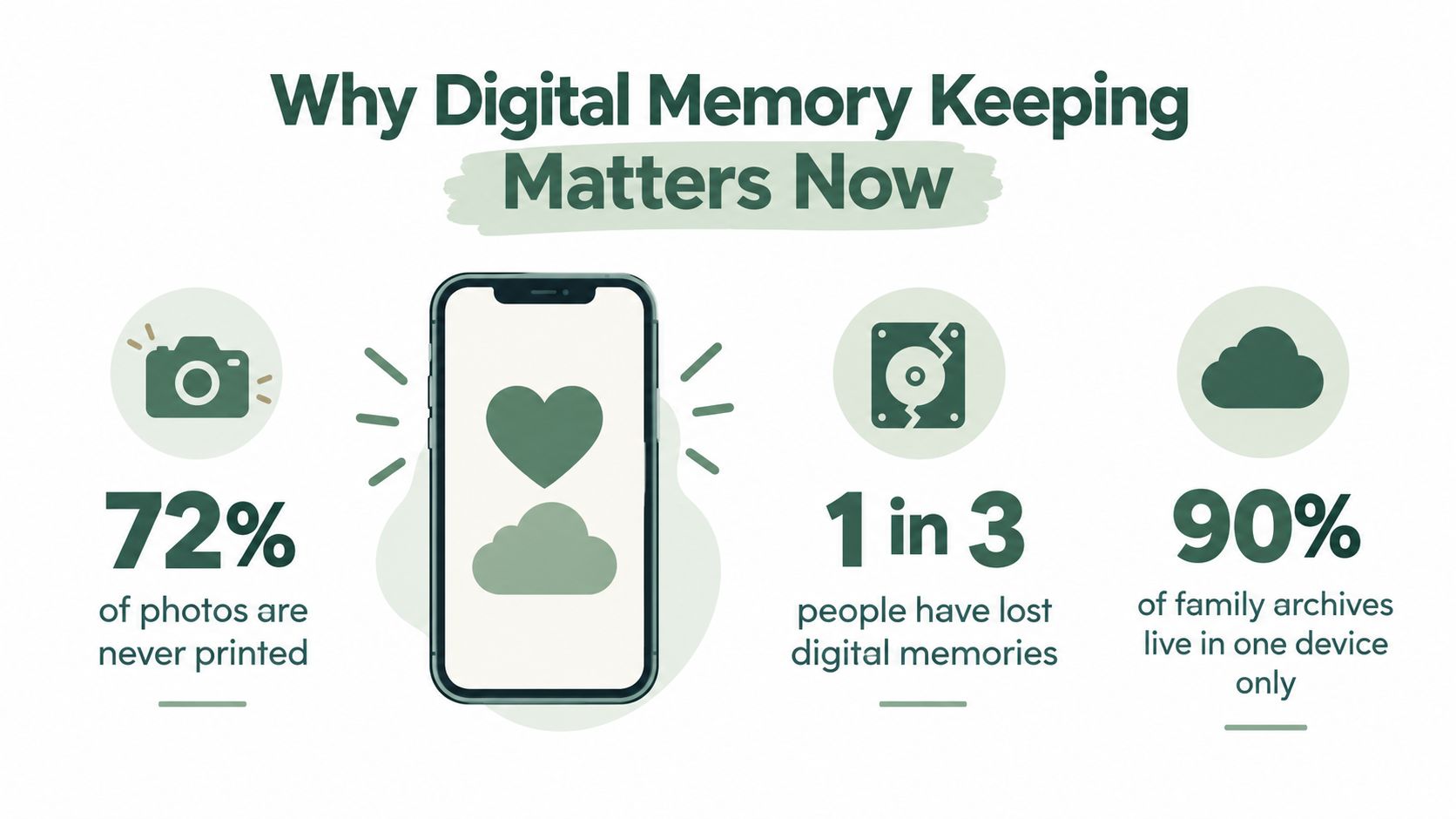
The illustration below introduces the subject visually. Its numerical claims about printing, loss, and single-device storage aren't substantiated by the sources cited here, so don't treat those figures as established evidence.
Practical rule: Preserve the explanation while the person who knows it can still help.
You don't need to become a professional archivist. You need a manageable way to make decisions before a hospital stay, broken device, or bereavement makes those decisions urgent.
What Digital Memory Keeping Actually Means
Digital memory keeping is the deliberate selection, organisation, explanation, and handover of personal records. Those records might include photographs, videos, scanned letters, recipes, voice notes, and written recollections. The purpose isn't to retain files, but to help someone understand and use them later.
A library offers a helpful analogy. Keeping a book protects its pages; recording its title, author, and subject helps a reader discover it. A family archive needs both the material and the equivalent of that catalogue entry.
Think in layers
- The file: The photograph, recording, document, or other item you've chosen to preserve.
- The context: Who appears, where something happened, and why it mattered. Uncertainty belongs here too.
- The access: Who may open the material and under what conditions.
- The handover: Who takes responsibility when you can't maintain it yourself.
These layers describe what you're building. The activities in the diagram show how you build it.
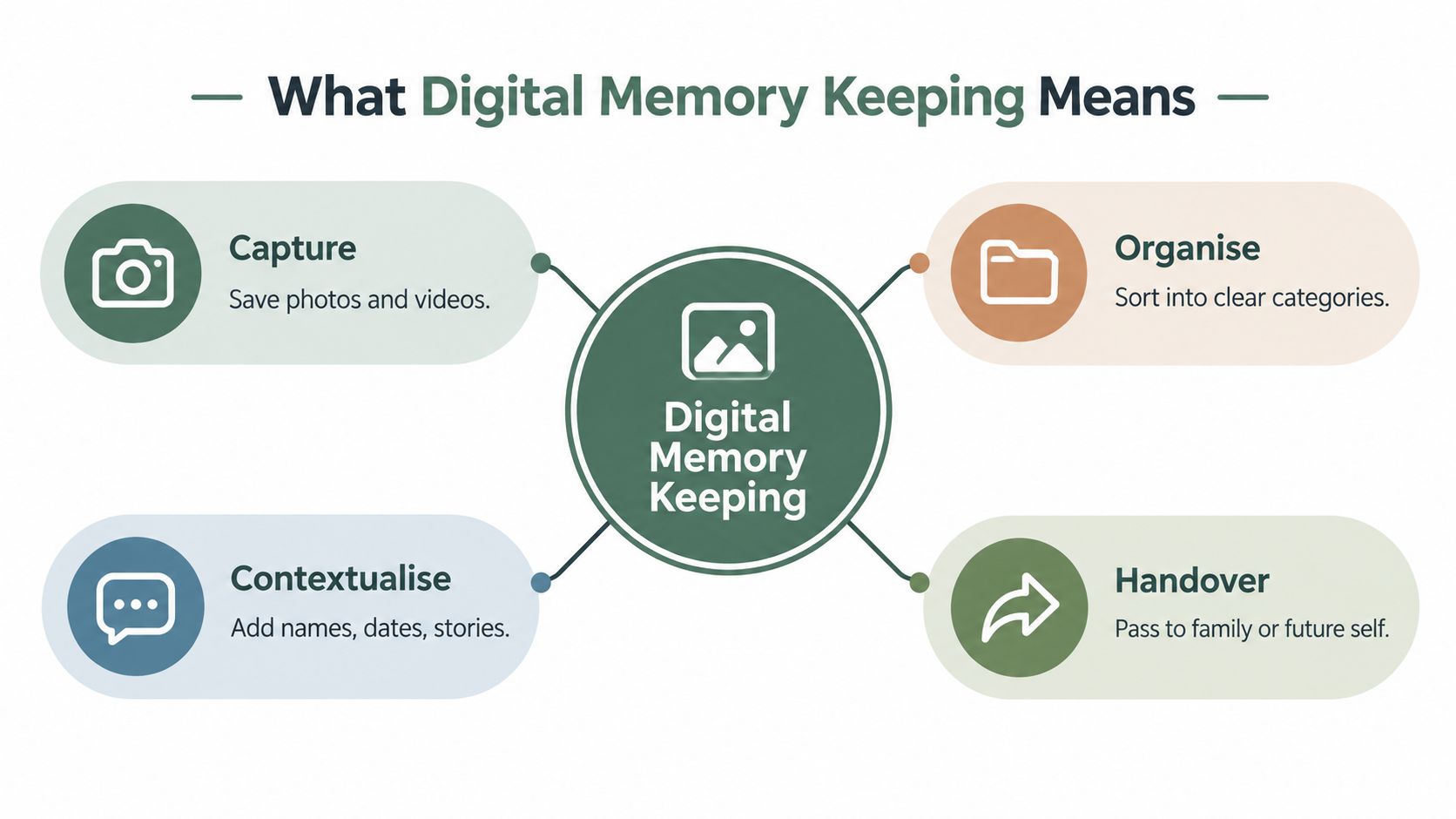
Consider a short recording of a grandfather singing. The audio file preserves his voice, but a note explaining that he sang the song while cooking Sunday lunch preserves its place in family life. Permission to share it and instructions for its future care complete the record.
This approach also works for memories being created today. For parents and grandparents, Cradlo's guide to preserve baby milestones as logs offers a useful starting point for recording small developments as entries rather than leaving every memory inside a camera roll.
A useful archive lets another person answer both “What is this?” and “Why did someone keep it?”
You don't have to write polished family history. A plain sentence, an approximate date clearly labelled as approximate, or a brief spoken explanation can be enough. Honest context matters more than elegant prose, particularly when the alternative is an unexplained file.
Formats and Platforms Families Use
A file format is the way information is encoded, usually indicated by the ending of its filename. A platform is the service or application where you manage it. Choosing a familiar platform doesn't remove the need to consider what files you can take away from it.
Duke University Libraries' digital preservation guide supports choosing widely adopted, well-documented formats and preserving descriptive information alongside them. Proprietary formats can become difficult to read when supporting software disappears.
Common Family Archive Formats at a Glance
| Format | Best For | Longevity Note |
|---|---|---|
| JPEG | Everyday family photographs and viewing copies | Broad interoperability makes it a practical access choice. |
| TIFF | Preservation-oriented images and scans | Suitable when retaining an uncompressed image matters. |
| Plain text | Stories, captions, and archive instructions | Keeps the words accessible without depending on elaborate page design. |
| CSV | Lists of names, dates, locations, and file descriptions | Useful for keeping a catalogue separate from an application. |
For voice recordings, videos, and formatted documents, keep the original file rather than converting everything just to make the archive look uniform. Ask whether your chosen software can export the recording or document, not just display it inside an account.
Choose a home you can leave
Compare options by their intended role rather than treating them as interchangeable:
- Phone galleries and cloud lockers: Consider these for convenient access and file management, then examine how exports and account recovery work.
- Family-tree platforms: Assess whether linking records to relatives suits the stories you want to tell.
- Social networks: Separate the pleasure of sharing from the responsibility of maintaining your own archive.
- Private timelines and dedicated memory platforms: Check how they handle captions, contributions, permissions, and downloadable copies.
Before committing, try a small sample containing a photograph, a caption, and a recording. Export it and inspect what you receive. Can someone open the files without your account, and does the explanation travel with them?
Also read the provider's policies on inactivity, closure, and access after death. An attractive viewing experience and a dependable preservation arrangement are different requirements. Choose with both in mind.
A Practical Organising Workflow
Start with a collection small enough to finish without exhausting yourself, perhaps a family holiday or a parent's birthday gathering. Working through an achievable batch gives you a pattern you can reuse.
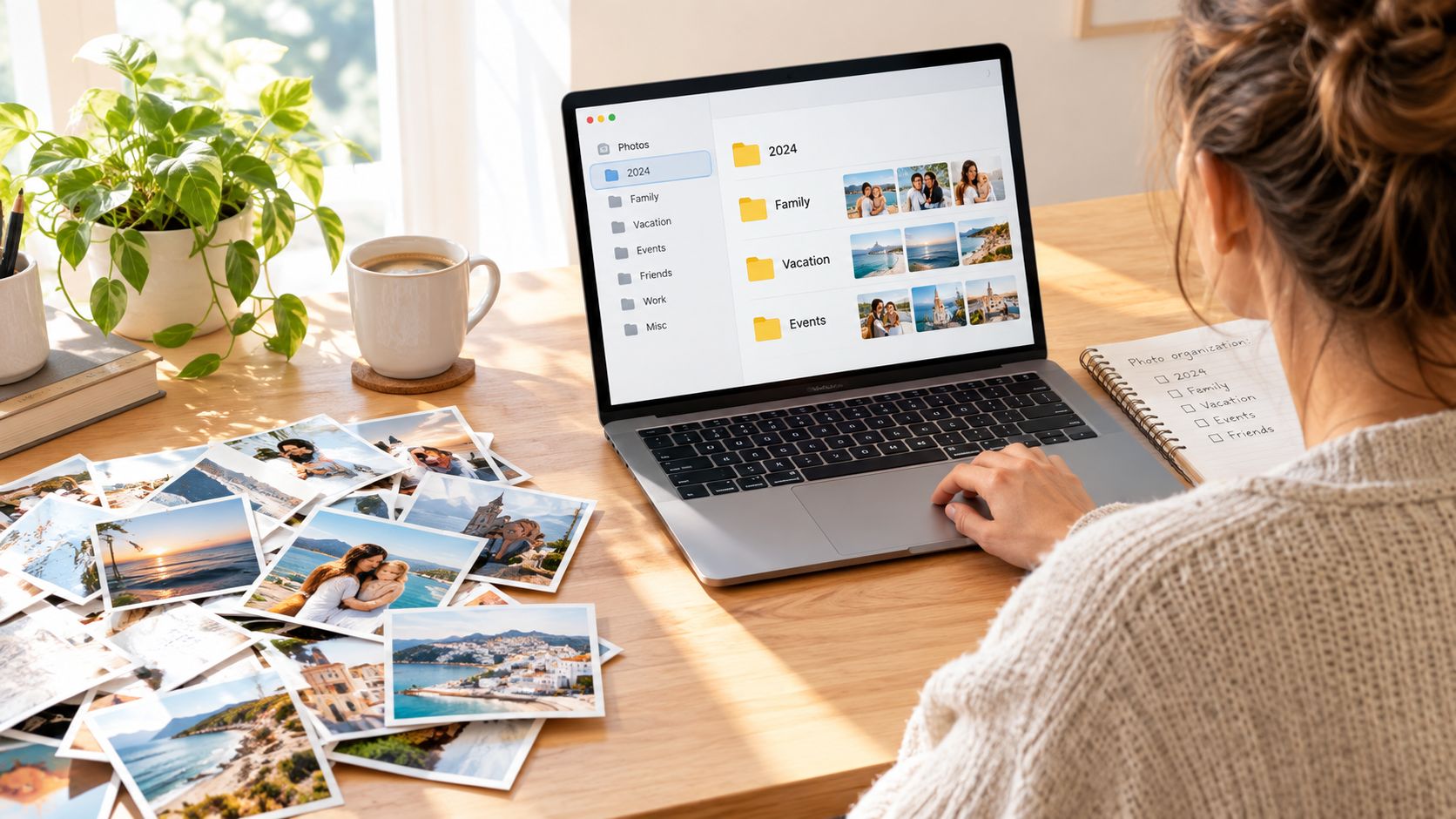
Set up a comfortable workspace with the originals nearby, as shown below.
Give every item an understandable address
Create folders by year, then by event or subject within that year. If you don't know the year, use an honest label such as Date unknown rather than guessing.
For example, a camera-generated filename could become approx-autumn_family-kitchen_Margaret.jpg. Keep a record of its original filename if you rename it, and add a companion note with the same descriptive stem.
That note might say: Margaret making apple tart in her kitchen; believed to be autumn; exact date unknown. The recipe came from her mother. Label this as an illustrative example, not a template requiring every detail.
Metadata means information about a file. Put names, places, dates, and explanations into your photo software's description fields, but also keep important context in your separate catalogue.
- Use consistent tags: Choose familiar family terms such as “recipes,” “school,” and “holidays.”
- Record uncertainty: Distinguish what you know from what someone remembers approximately.
- Keep related items together: Give the photograph and its explanatory voice note matching descriptive names.
For more help choosing a workable system, consult the family photo organisation guide. If your immediate obstacle is an overwhelming phone library, That Blanket Co.’s guide to tame your digital photo chaos provides another practical resource.
Use the video below as an optional companion while you organise your first batch.
Before stopping, leave a short note explaining your naming choices. Your system should make sense to a relative who wasn't sitting beside you when you created it.
Backup and Long-Term Preservation
A savings account and a fireproof box solve different problems. In the same way, convenient storage, independent backups, and checks for file damage serve different purposes. You need to know not only that something was saved, but that a usable copy can be recovered.
The National Archives of Australia's guidance on maintaining a digital archive advises keeping at least two independently stored copies, with one geographically separate, and testing restoration. It also describes integrity checking rather than relying on the reassuring appearance of a completed backup.
Separate copies, then test them
The following diagram presents an expanded arrangement you could adopt. Treat it as a suggested household setup, not a promise that any particular combination prevents every kind of loss.
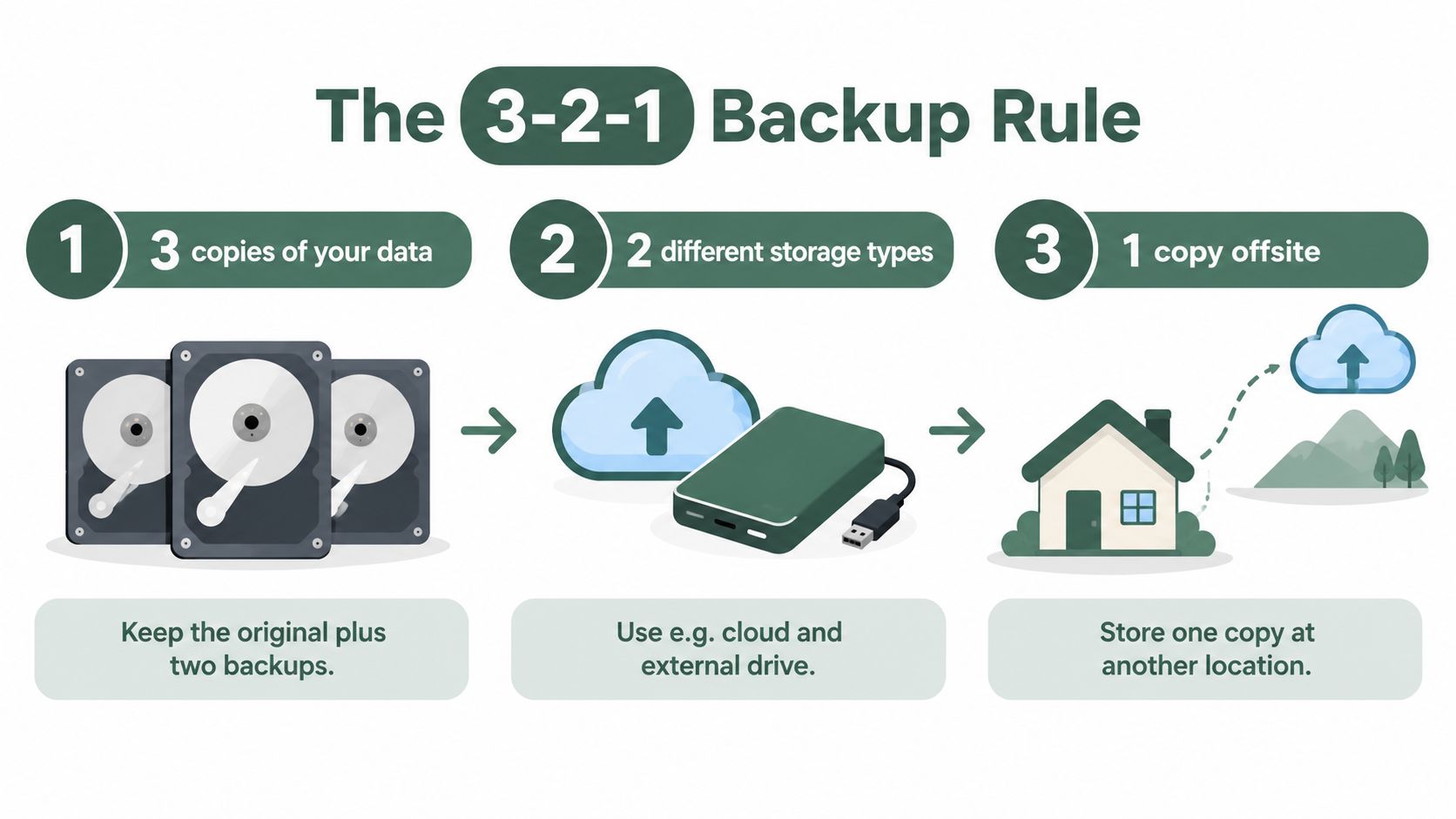
For example, you might maintain a working collection on your computer, an independent external-drive backup, and a separate offsite copy. If you're comparing online options, the guide to cloud storage for families can help you consider their place in that arrangement.
Test restoration by recovering a saved folder into a different location. Open the photographs, play the recordings, and check that descriptions remain attached or accompany the files.
Check that files haven't changed unexpectedly
Fixity checking means testing whether a file remains unchanged. A cryptographic hash, such as SHA-256, acts like a fingerprint generated from the file's contents.
- Create a manifest: Use a checksum tool to record each file's fingerprint in a separate list.
- Compare after changes: Recheck following transfers, restoration, or migration, and retain a log of the results.
- Investigate differences: An unexpected mismatch calls for comparison with a verified backup before replacing anything.
Important distinction: A fingerprint can reveal a change. It can't rebuild a damaged photograph.
Plan occasional format reviews too, following the format-selection principles described earlier. Retain originals, document conversions, and check that converted copies still contain what you intended to preserve. Long-term preservation is a maintenance task, not a purchase you make once.
Privacy, Trust and Handover After Incapacity
Before asking who should inherit your archive, ask what they should be allowed to see. A loving family record can still contain private correspondence, sensitive health information, or stories involving relatives who haven't agreed to share them.
A 2025 UK study of digital remains and legacy preferences reported legacy-tool adoption of 8% for Facebook, 5% for Google, and 7% for Apple, while roughly 77% favoured automatic deletion of real-name accounts after death. These findings aren't instructions for your family, but they underline why preservation shouldn't automatically mean keeping everything available.
Write boundaries before granting access
Use clear categories in your archive instructions:
| Access level | Suggested boundary |
|---|---|
| Public | Material you've deliberately approved for open sharing |
| Family-only | Memories intended for a defined group of relatives |
| Trustee-only | Sensitive material a named custodian may manage |
| Permanently private | Material not intended for disclosure, with explicit disposal instructions |
Choose a custodian, meaning someone responsible for carrying out your wishes, and ask whether they're willing. Record what should happen during incapacity separately from what should happen after death.
Review Facebook Legacy Contact, Google Inactive Account Manager, and Apple Digital Legacy within the relevant account settings. Check their current terms and triggers rather than assuming a legacy setting provides immediate authority during illness.
Leave instructions someone can follow
Prepare a brief memory-instructions note identifying the archive's location, custodian, permission boundaries, and review arrangements. Specify any delayed release, how you can revoke permission, and where authorised account-recovery instructions are held.
Before sharing sensitive material, ask:
- Purpose: Why preserve or disclose this?
- Audience: Who genuinely needs access?
- Consent: Have living people involved agreed?
- Timing: Should release wait?
- Authority: Who may carry out the decision?
Use the digital legacy planning guide to organise the conversation. For Texas-specific legal considerations, the Law Office of Bryan Fagan, PLLC's resource on Texas trust administration for digital assets is a starting point for discussion with qualified counsel, not a substitute for advice about your circumstances.
Beyond the Camera Roll
A photograph can show your father holding a guitar. His handwritten song list, an unfinished recording, and a note about why he stopped performing might tell you something different. Visual evidence and personal meaning aren't always the same thing.
Research on personal digital archives and legacy discusses the retrieval problems of large, uncurated collections, including a cited study whose participants averaged around 28,040 photographs. My practical recommendation is to build a deliberately selected collection alongside the larger archive, rather than expecting relatives to interpret everything.
Make a small portrait of a person
Look for material that reveals taste, habits, relationships, work, and values:
- A playlist: Add the occasion or period it recalls, along with the artist and song names.
- A recipe: Preserve the handwriting and explain the adjustments nobody measured.
- A reading list: Note which book changed an opinion or became a favourite gift.
- A letter or message: Explain the relationship and respect the writer's privacy.
- A creative or work project: Describe the person's contribution in language a relative can understand.
- A voice recording: Ask about an ordinary routine, not only a major achievement.
For help beginning those conversations, use these ideas for oral history interviews online. Ask a specific question such as what happened in the kitchen before a celebration, rather than requesting an entire life story.
Choose something because it reveals the person, not merely because it exists.
Attach a short explanation to each selection: what it is, why you chose it, and what someone needs to understand. You're not declaring the rest worthless. You're giving future relatives an approachable place to begin.
A 30-Day Family Starter Plan
Treat this as a suggested calendar, not a deadline for completing your family history. Choose a person or subject narrow enough that you can make useful progress without sorting every device in the house.
Week 1 Gather a manageable collection
Set aside an hour as a starting budget, and stop sooner if the decisions become tiring.
- Choose a focus: A parent, a grandchild, an ancestor, or a meaningful period.
- Gather without deleting: Bring relevant material into a clearly labelled working folder.
- Write a scope note: Explain what you're collecting and what can wait.
Week 2 Add the missing explanations
Allow a longer session if a relative can join you, with breaks whenever needed.
- Select the essentials: Begin with the items you'd most regret leaving unexplained.
- Ask while you can: Record names, recollections, and uncertainties with permission.
- Make it navigable: Apply your naming convention and keep related notes together.
Week 3 Protect and prepare for handover
Reserve another short session for practical checks, then use the remaining days for anything unresolved.
- Complete a recovery test: Confirm that your backup arrangement produces readable files.
- Invite a custodian: Discuss the responsibility rather than merely writing down a name.
- Draft your instructions: Record access boundaries and arrange a suitable review.
Finish the month by asking someone unfamiliar with the collection to find an item and explain its significance. Their questions will show you where a label or instruction needs improvement.
You haven't failed if there's still a large unsorted folder. Success is a cared-for beginning: a collection someone else can find, understand, and manage. Put the next short session on your calendar while the work is still fresh.
remembers.life offers a place to create digital life stories with photographs, written memories, voice recordings, and videos, with Family Rooms for invited relatives to contribute. Visit remembers.life and begin with a meaningful photograph and the story you'd want your family to hear beside it.